TD-W8151N 150Mbps Wireless N ADSL2+ Modem Router User Guide
47
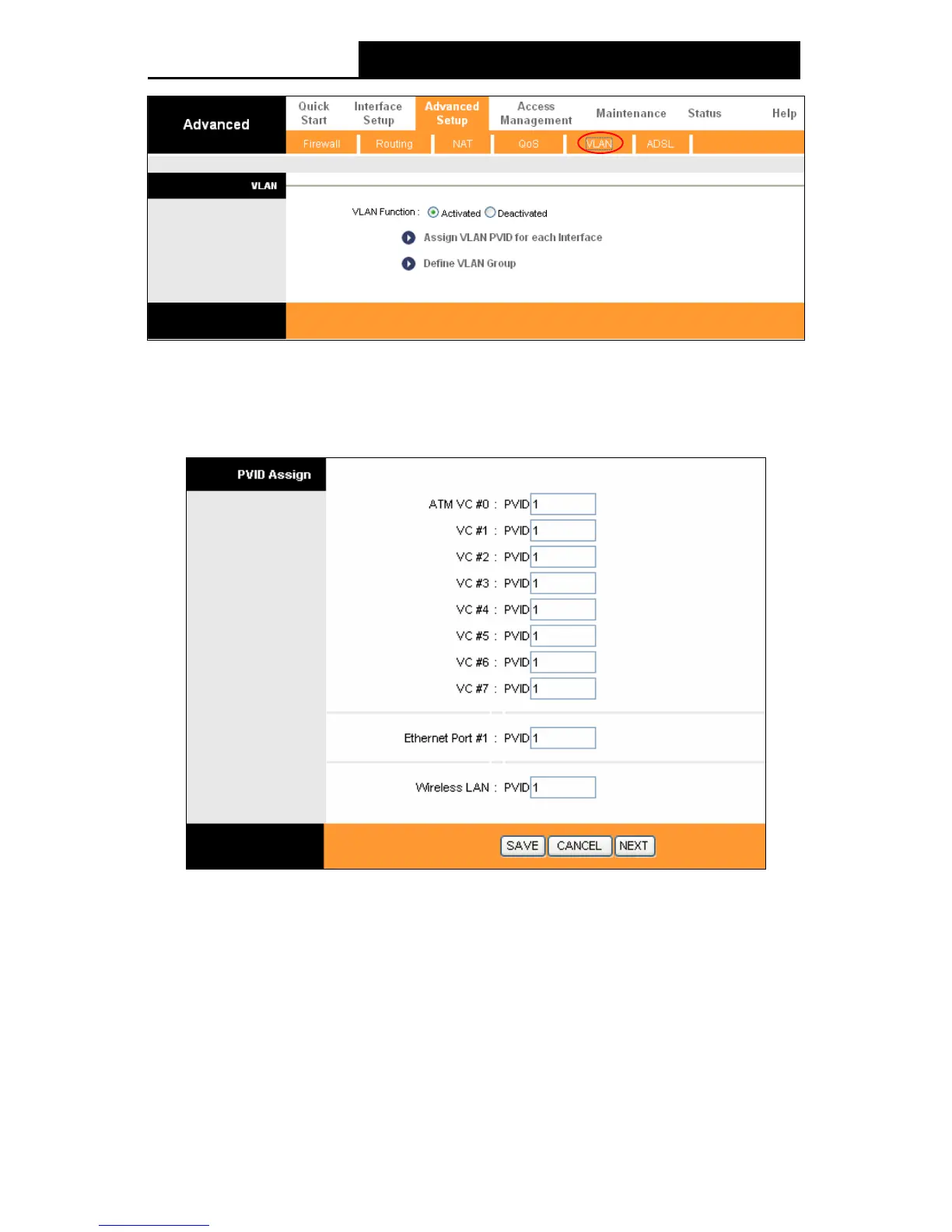
Figure 4-
33
1) Assign VLAN PVID for each Interface
Click Assign VLAN PVID for each Interface in Figure 4-33, you can assign the PVID for each
interface in the next screen (shown in
Figure 4-34).
Figure 4-34
PVID: Each physical port has a default VID called PVID (Port VID). PVID is assigned to
untagged frames or priority tagged frames (frames with null (0) VID) received on this port.
2) Define VLAN Group
C
lick Define VLAN Group in Figure 4-33, you can define VLAN groups in the next screen (shown
in Figure 4-35).


 To Next Page
 Loading...












