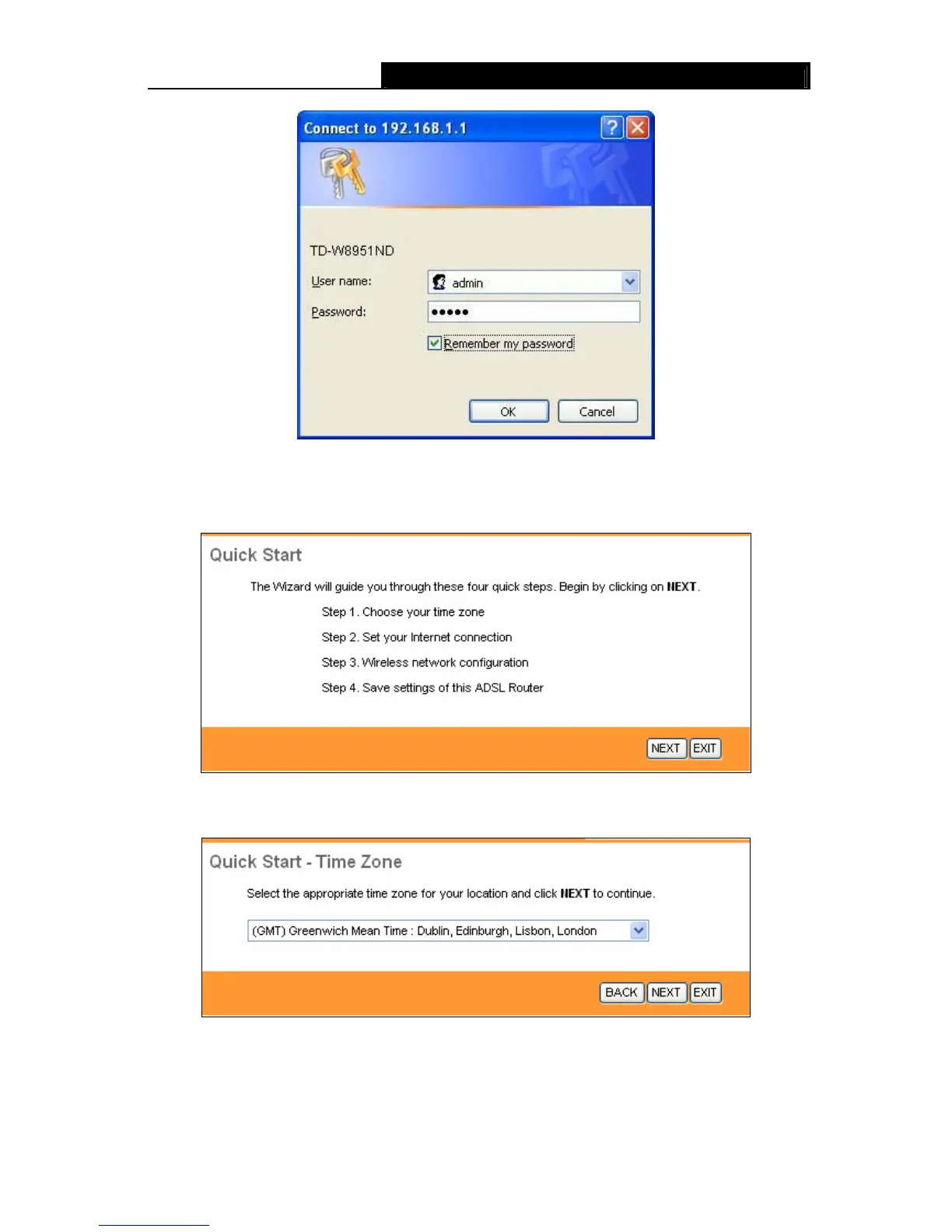
TD-W8951ND 150Mbps Wireless N ADSL2+ Modem Router User Guide
Figure 3-7
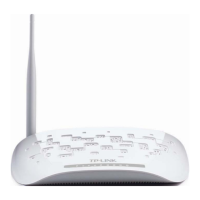
Step 1: Select the Quick Start tab, then click RUN WIZARD, and you will see the next screen.
Click the NEXT button.
Figure 3-8
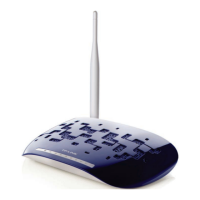
Step 2: Configure the time for the Router, and then click the NEXT button.
Figure 3-9
Step 3: Select the connection type to connect to the ISP (We select PPPoE/PPPoA mode for
example here), and then click the NEXT button.
13









 To Next Page