TD-W8961ND 300Mbps Wireless N ADSL2+ Modem Router User Guide
32
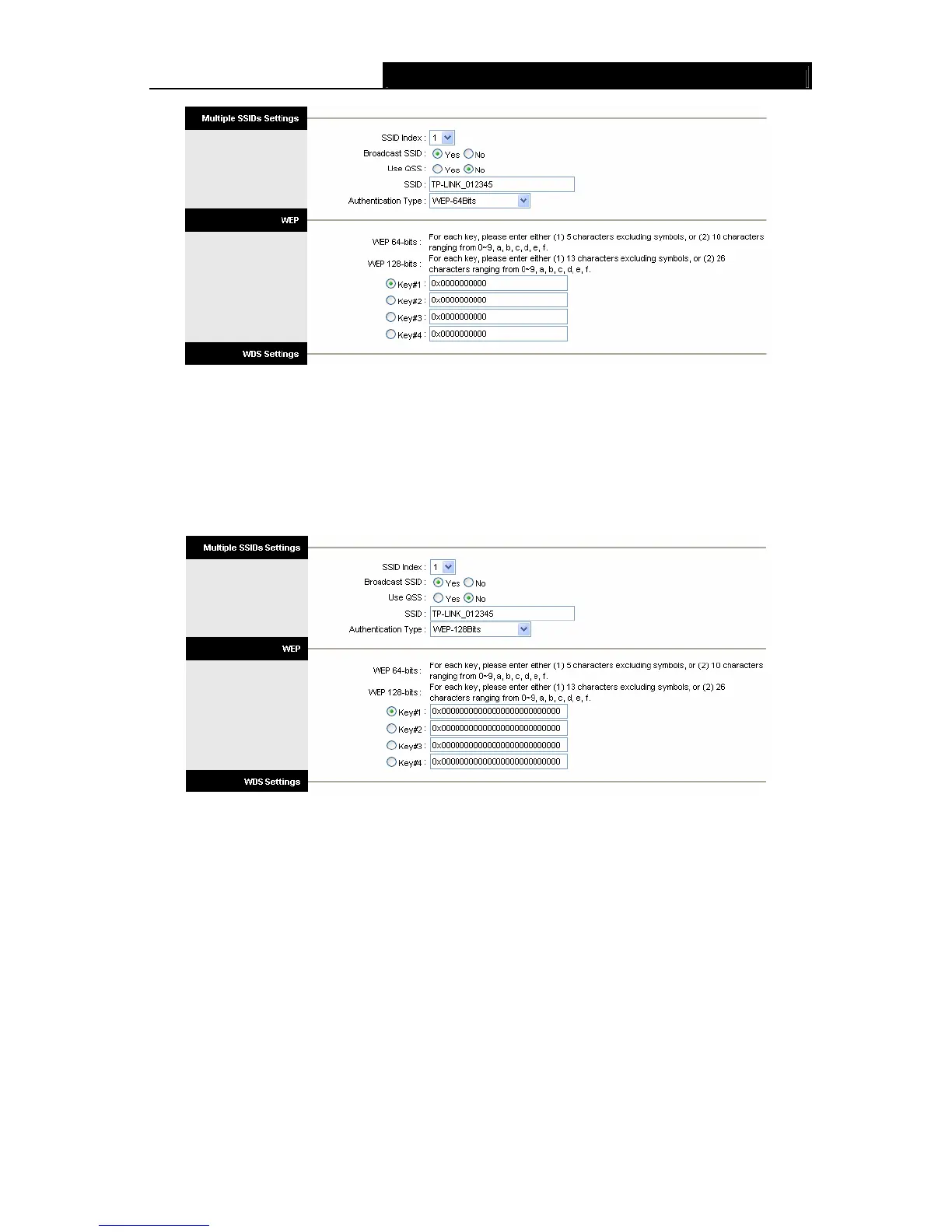
Figure 4-16
2) WEP-128Bits
To configure WEP-128Bits settings, select the WEP-128Bits option from the drop-down list.
The menu will change to offer the appropriate settings. 128-bit is stronger than 64-bit.
Figure 4-17
3) WPA-PSK
To configure WPA-PSK settings, select the WPA-PSK option from the drop-down list. The
menu will change to offer the appropriate settings. WPA-PSK requires a shared key and does
not use a separate server for authentication. PSK keys can be ASCII or Hex type.











 To Next Page