TL-PA201 200Mbps Ethernet Powerline Adapter
18
Join an existing Powerline AV Network:
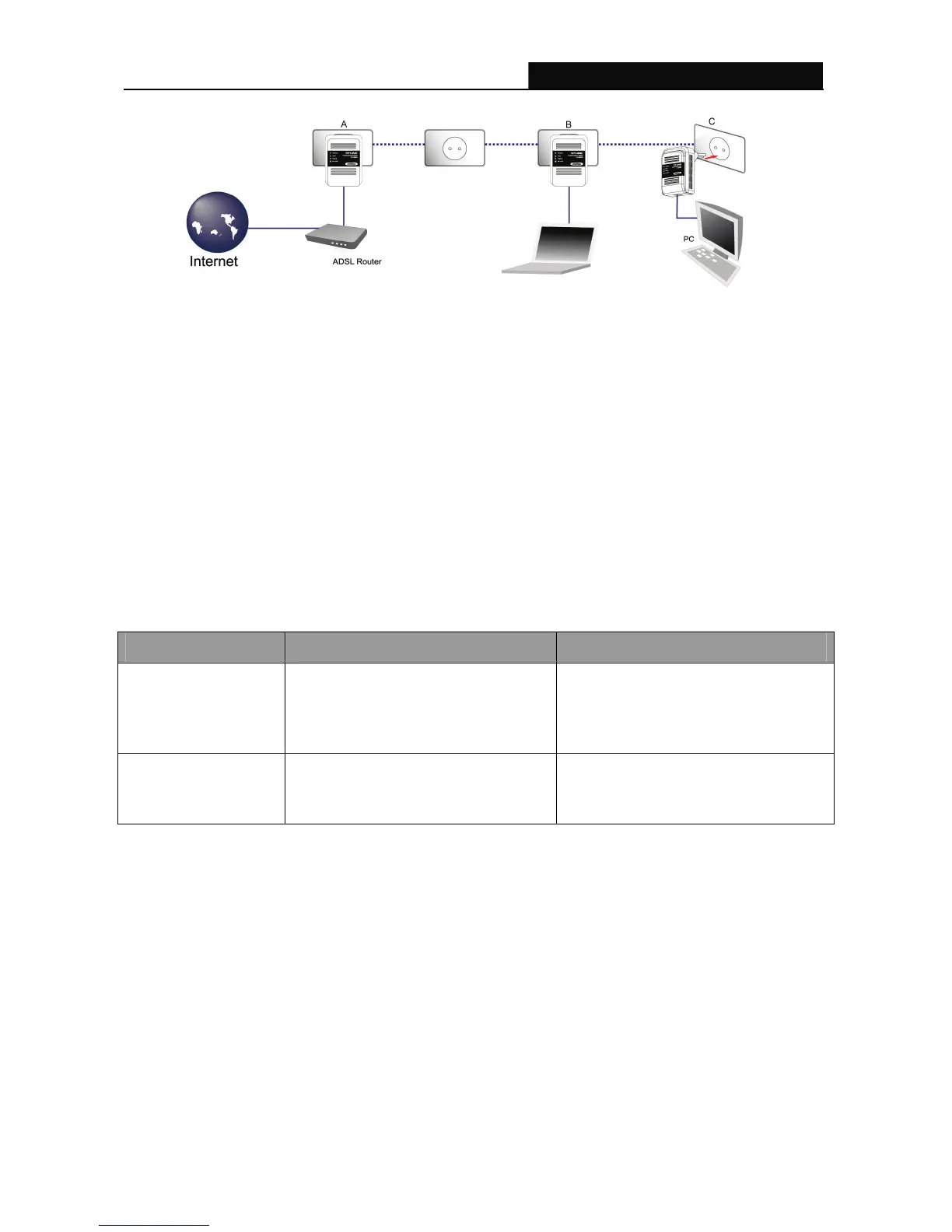
Step 1. Press and hold the Pair button on Powerline adapter C for more than 10 seconds until both the
Powerline and Power LED are off, then release the button and the Power LED will start
blinking.
Step 2. Press the Pair button of Powerline adapter B for 2 seconds.
Step 3 Press the Pair button on Powerline adapter C for 2 seconds
(This must be done within 120 seconds after pressing the Pair button of Powerline adapter B.)
Step 4. Wait for about 60 seconds while your Powerline adapters are connecting. The Power LED on
Powerline adapter B and C will stop blinking and light up when the connection is made.
Step 5. Now Powerline adapter A, B and C are connected.
5.3 Pair Button Behavior
The following table summarizes the actions that occur when the Pair button is pressed for specific time.
Pair button Action Status Power LED Light Behavior
less than 3 seconds
The adapter joins a network. It shares
the same network name as other
adapters on the Powerline network.
The Power LED turns on if your
adapter is connected to another
Powerline adapter or a Powerline
network.
more than 10 seconds
The adapter leaves any network it is
associated with and its network name
assumes a random value.
The Power LED turns off when it
disconnects from the Powerline
network.
5.4 Reset
To reset the Powerline AV device:
Please make sure unplug (remove) the Ethernet cable first, and then press the Reset button.
Press and hold the Reset button for 2 seconds. Release the Reset button when the Power LED begins
to blink. The default settings have been restored. Be careful,don’t power off when the device is in reset
process.


 To Next Page