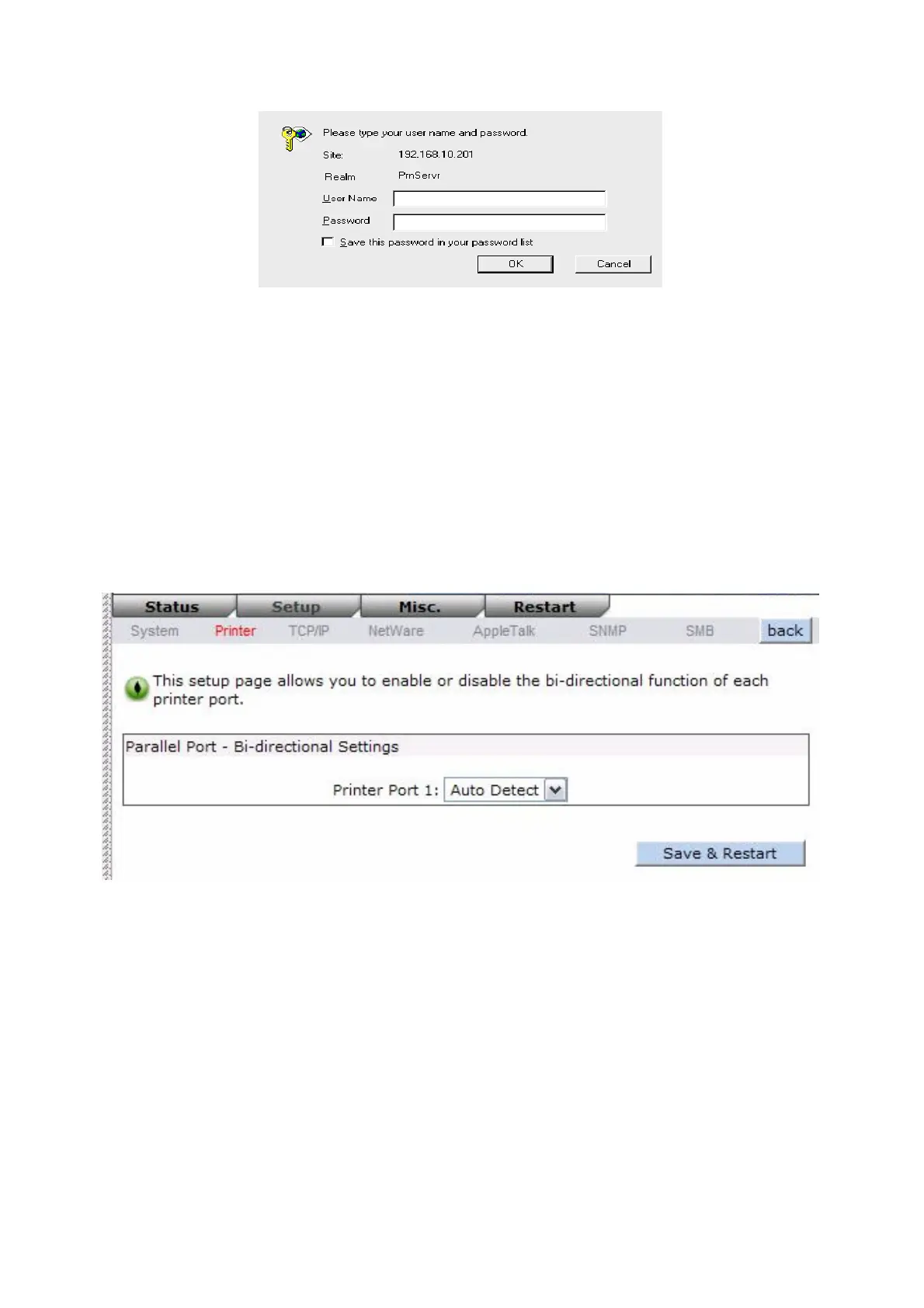
․User Name: You must be input the default administration user name, admin as login user
name.
․Password: The default password is empty. After setup password is completed from the
print server, you shouldn’t forget this password.
Printer Setup:
1. Click Setup, it then appears the sub-menu.
2. Click Printer, it then as shown in the following picture.
Bi-directional Settings: This option allows you to select the bi-directional of the print server.
There are two ways to select this option, includes Disable or Auto Detect.
TCP/IP Setup:
3. Click Setup, it then appears the sub-menu.
4. Click TCP/IP, it then as shown in the following picture.
37


 To Next Page