30
Web Smart Gigabit Switch Family User's Guide
TL-SG2109WEB/TL-SL2210WEB/TL-SL2218WEB/TL-SL2428WEB/TL-SL2452WEB
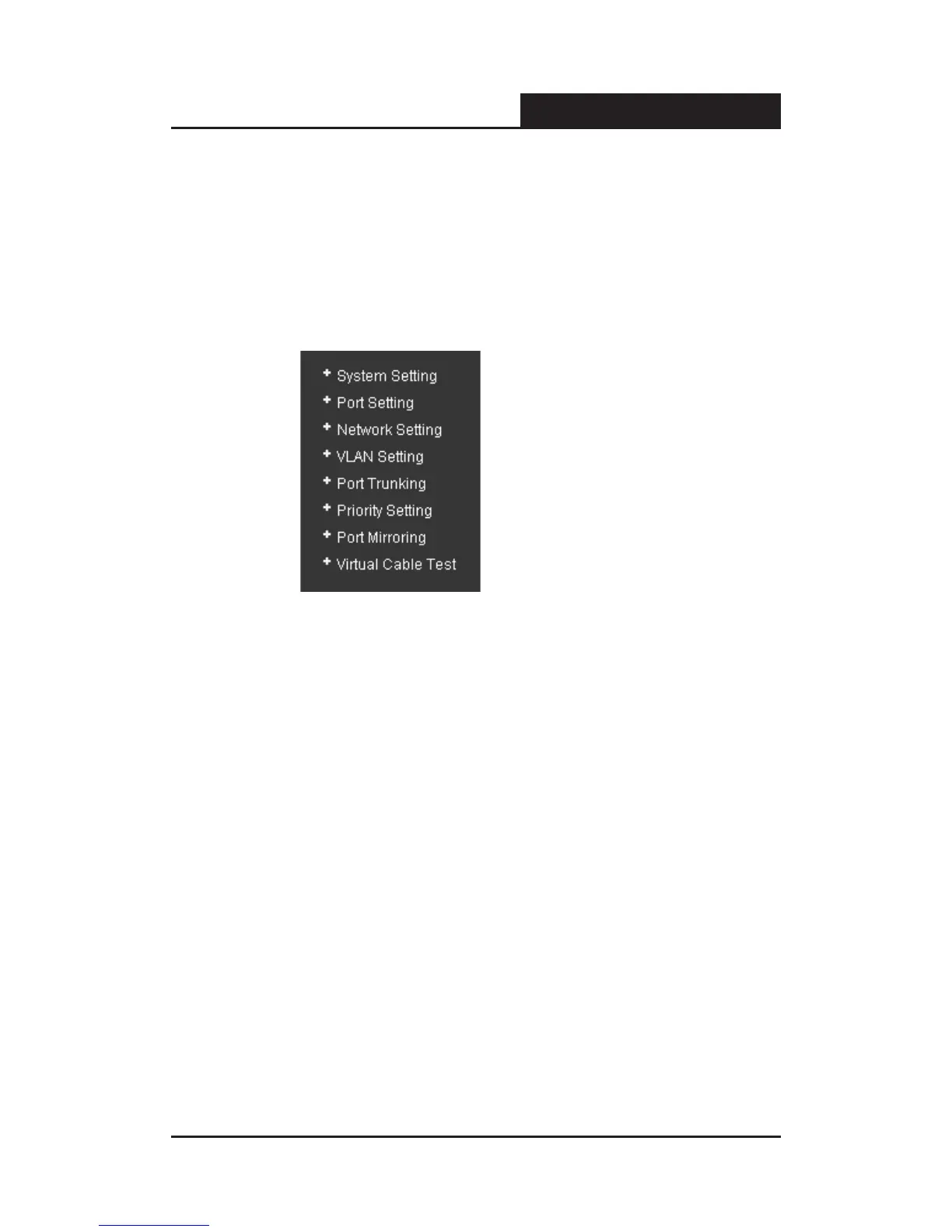
3) On the left side of the page is the menu table. It contains 8 main menus.
Each menu has some submenu. Click on a menu, it will open its
submenu and the main window display the configuration page of the
submenu list rst, click on the submenu you want to congure to open
the corresponding conguration page. The menu structure is as follows:
Figure 5-11 Main Menu
System Setting: System Information, File Transfer, Reboot & Reset, and
User.
Port Setting: Port Parameter, Port Statistic, Port Status, Storm Control,
and Port Description.
Network Setting: Switch IP Address, Static MAC Address, Filtering MAC
Address, Dynamic Binding, Bound MAC Address, Aging Time, and Ping.
VLAN Setting: VLAN Mode, Port VLAN Setting, Tag VLAN Global Setting,
Tag VLAN Setting, and MTU VLAN Setting.
Port Trunking: Port Trunking.
Priority Setting: Priority Mode, Port-Based Priority, Port Default Priority,
and 802.1p Priority Class.
Port Mirroring: Port Mirroring.
Virtual Cable Test: Virtual Cable Test.











 To Next Page