4.2 Status
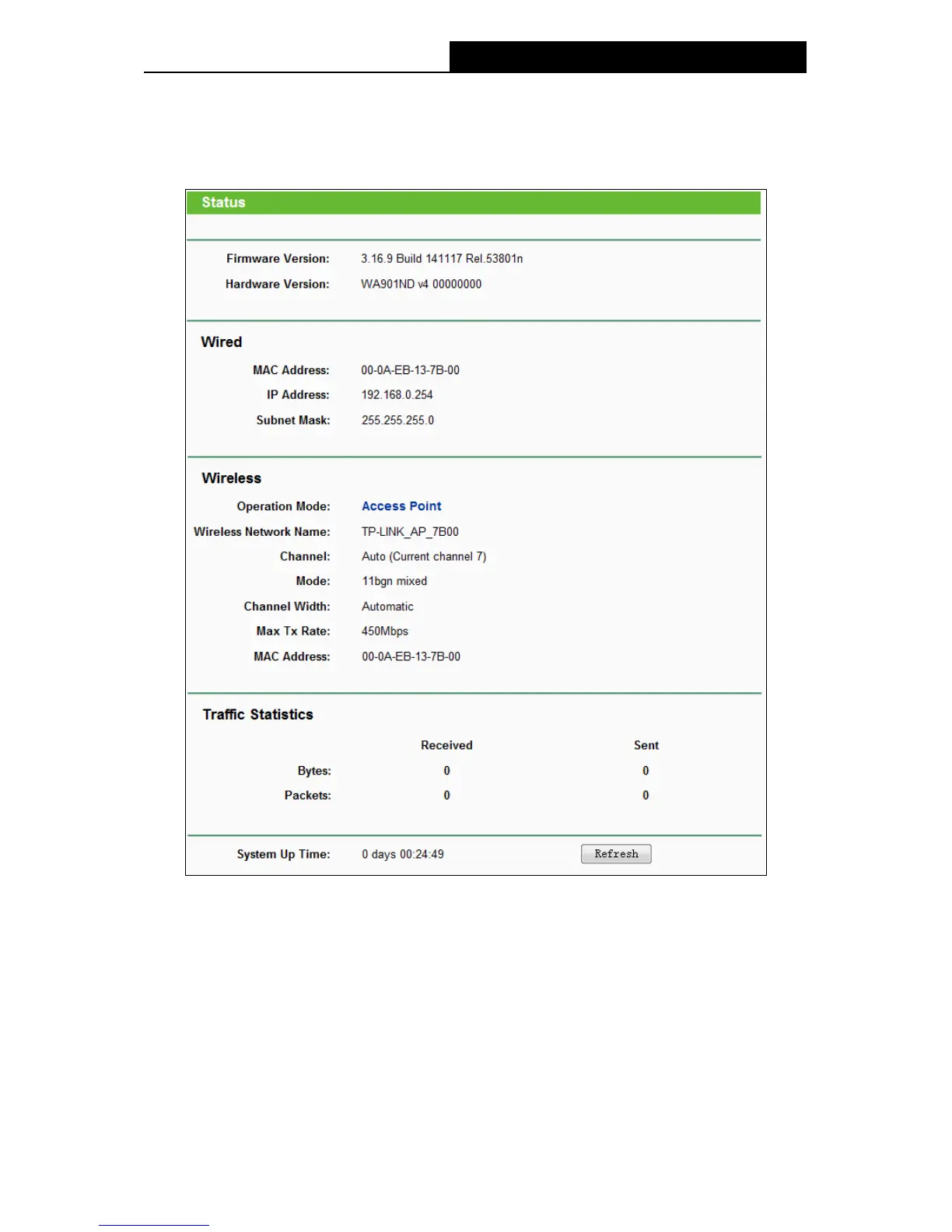
Selecting Status will enable you to view the AP’s current status and configuration, all of which is
read-only.
Figure 4-3 Device Status
Firmware Version - This field displays the current firmware version of the AP.
Hardware Version - This field displays the current hardware version of the AP
Wired - This field displays the current settings or information for the Network, including the
MAC address, IP address and Subnet Mask.
Wireless - This field displays basic information or status for wireless function, including
Operating Mode, Wireless Network Name, Channel, Mode, Channel Width, Max Tx Rate
and MAC Address.
Traffic Statistics - This field displays the AP's traffic statistics.
18




 To Next Page