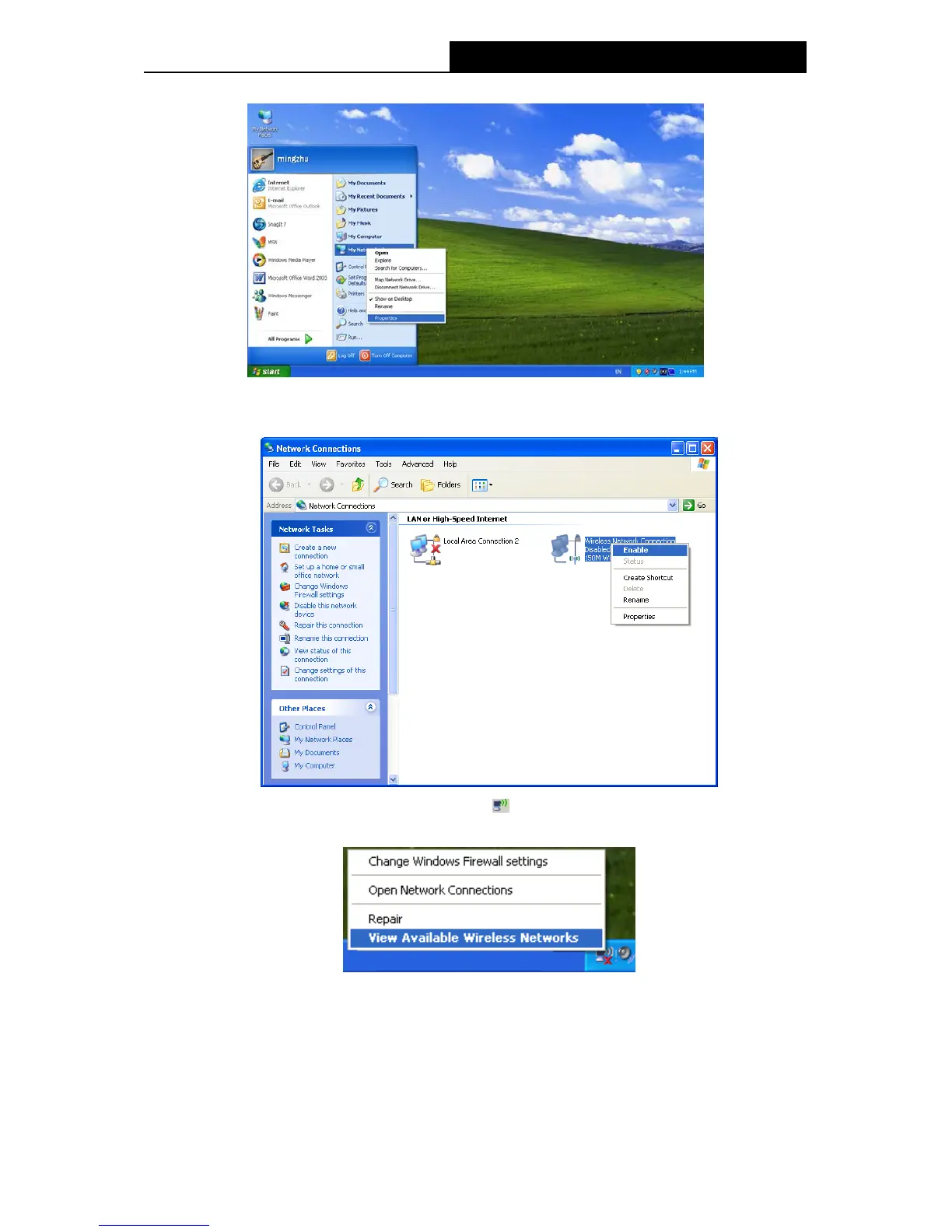
2) On the My Network Connections window, right-click Wireless Network and choose
Enable to enable wireless network function.
3) Right-click the wireless connection icon “
” on the screen of the PC and then select
View Available Wireless Networks.
4) Highlight the SSID of the AP (Here is TP-LINK) and click Connect to add to the network.
66


 To Next Page