19
Chapter 3
Conguring via Web Management Interface
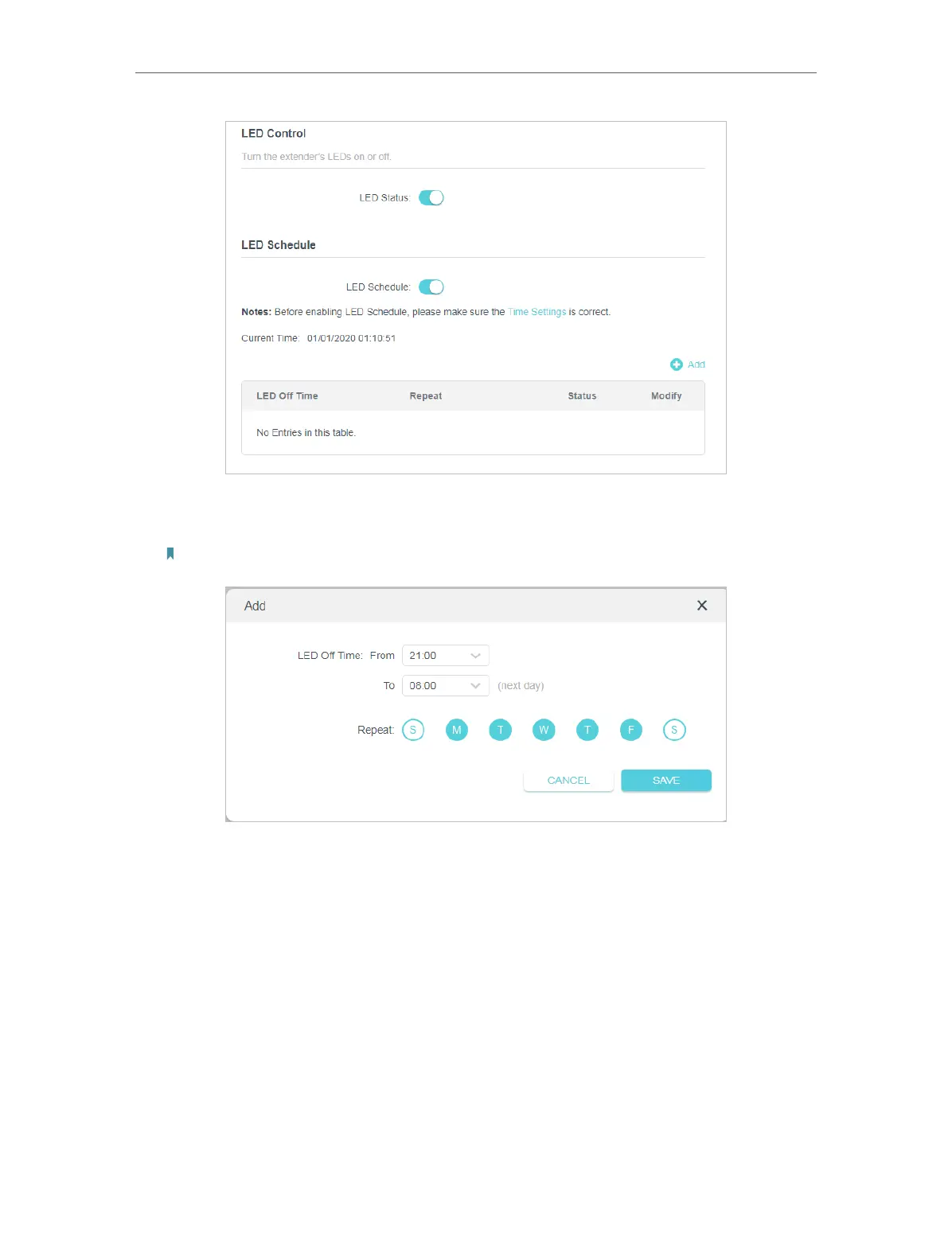
4. Enable LED Schedule.
5. Click Add and choose LED Off Time from 21:00 to 08:00 (next day).
Note: Please make sure that the system time is correct before using this function.
6. Click SAVE.
Now your LEDs will be turned off automatically at 21:00 and turned on at 8:00am the
next morning.
3. 7. Schedule Your Wireless Function
Automatically turn off my wireless network at times when I do not need the wireless
connection.
For example, I want to turn them off from 21:00 to 09:00 every weekday.
Done!
I want to:


 To Next Page
 Loading...