LED
Status Indication
Solid The device is working properly.
Blinking
Condition 1: System is booting.
Condition 2: The Ethernet Cable is connecting to the
product.
Table 1-1 The LED Description
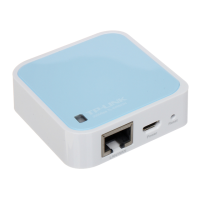
LAN/WAN: This LAN/WAN port works as LAN in AP/Repeater/Client/WISP Client Router
mode and as WAN in Wireless Router mode. As LAN, it connects the Router to the local PC;
as WAN, it enables you connect the DSL/cable Modem, or Ethernet.
Reset
It is used to reset the Router to its factory defaults. With the Router powered on, use
a pin to press and hold the Reset button (about 5 seconds) until the SYS LED becomes
quick-flash from slow-flash. And then release the button and wait the Router to reboot to its
factory default settings.
- 4 -




 To Next Page