44
System Configuration
In the 'Device Setup' you can adjust the settings for all
the audio and video components of your surround
system so that they match each other perfectly, and at
the same time set them to suit the acoustic
characteristics of your listening room.
This procedure only needs to be carried out when you
are installing the system, or when you are adding or
replacing individual components of the system. The
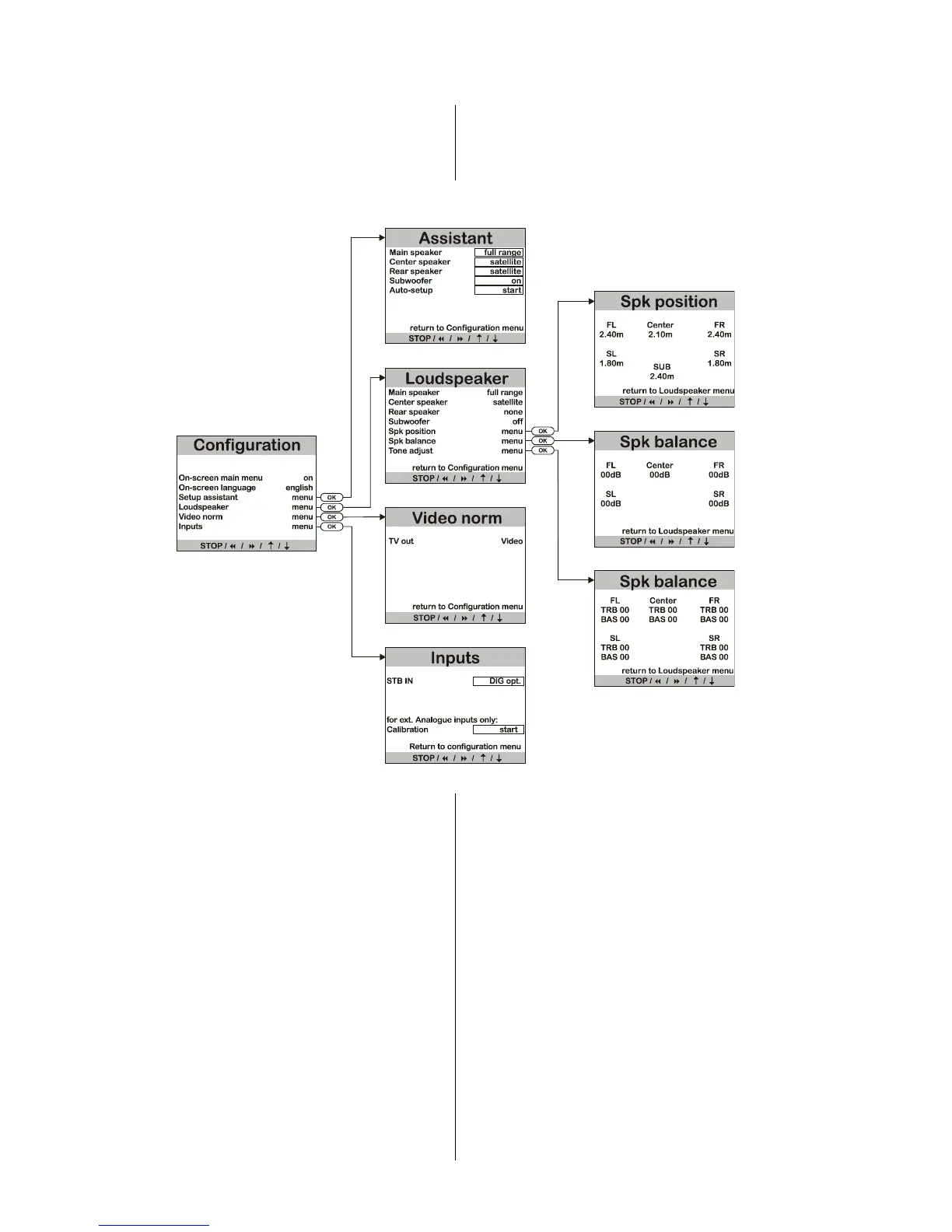
following diagram shows the menu structure.
Summary of
'
Device setup
'
All menus are displayed page by page on the screen of a
television set (if connected), and at the same time line by
line on the decoder’s integral screen.
The following section describes the menu points and
explains the adjustment facilities and their effects.



 To Next Page