50
Speaker Balance Setup
To ensure that the decoder supplies a balanced sound
image, the system allows you to adjust the volume of the
individual channels to provide a harmoniously balanced
arrangement.
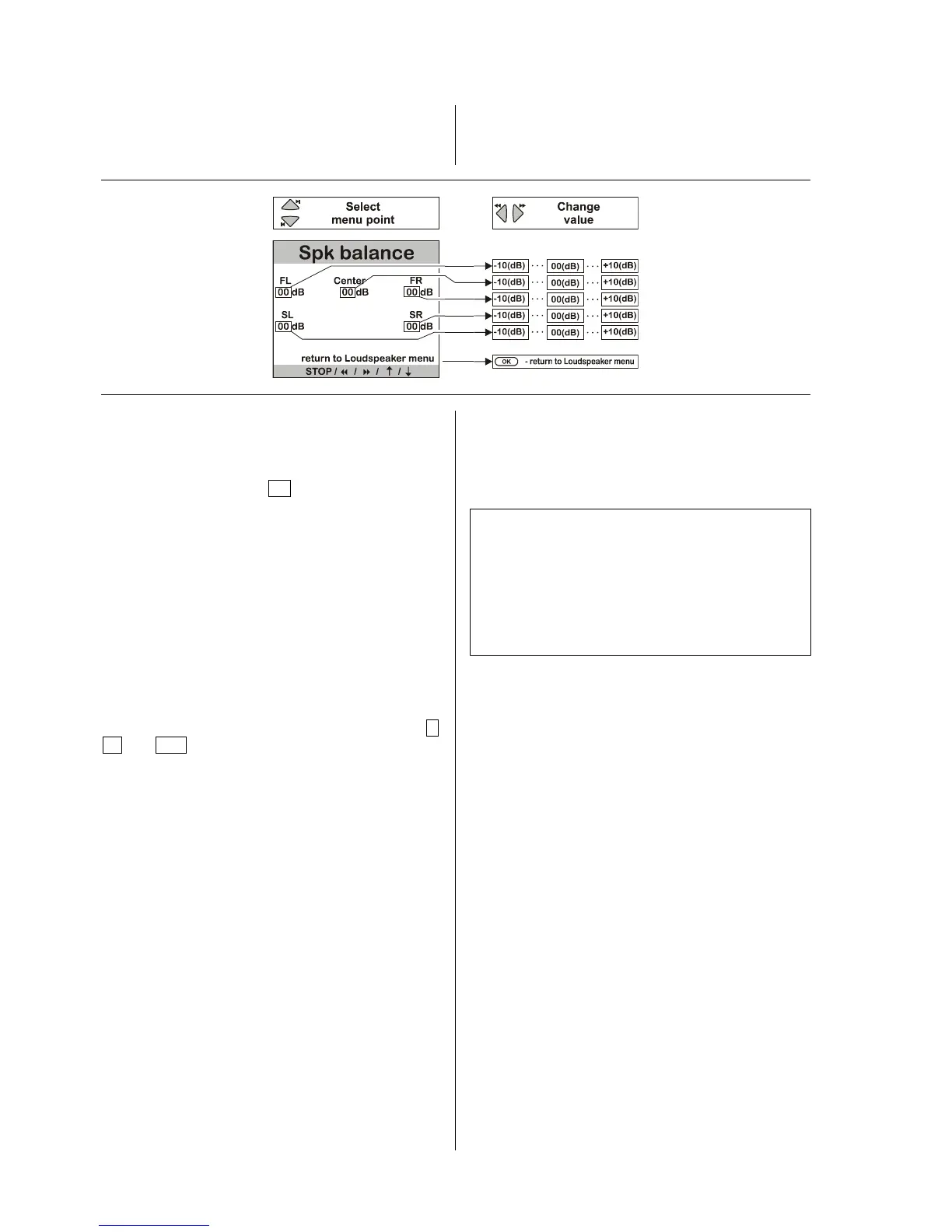
The purpose of the 'Speaker Balance Setup' is to adjust
the level of all the channels.
When you activate the 'Speaker Balance Setup' you will
hear a hiss from the left main loudspeaker lasting two
seconds. You will find the data input position after the
first menu point.
'FL: 00 '.
As the illustration shows, the hiss is reproduced on all
the channels in turn, in each case lasting about two
seconds:
• Main loudspeaker front left (FL)
• Center loudspeaker front center (Center)
• Main loudspeaker front right (FR)
• Surround loudspeaker rear right (SR)
• Surround loudspeaker rear left (SL)
The system skips any output channels which are not in
use (see 'Speaker Setup').
When the hiss is sounding on a particular channel, the
on-screen menu indicates the corresponding input
position. You can now alter the value within the range –
10 to +10 using the change buttons. You can
immediately hear the result of any change you make.
If you alter the volume, the hiss continues on that
channel for a further two seconds before moving on to
the next channel. The input position then changes
accordingly.
You can override the automatic cycling process by
selecting a particular channel using the select buttons;
you can then adjust its level as you wish.
Take your time to set all the channels to give as even an
impression of volume as possible!
Note:
The hissing sound used for this is not suitable for
assessing bass volume; the volume of the subwoofer
channel can be adjusted in the menu point 'Subwoofer
level', which is part of the 'Main Menu'.
The levels you set for each channel are stored for use
when the surround system has been selected, and
applies to all surround modes.



 To Next Page