21 |
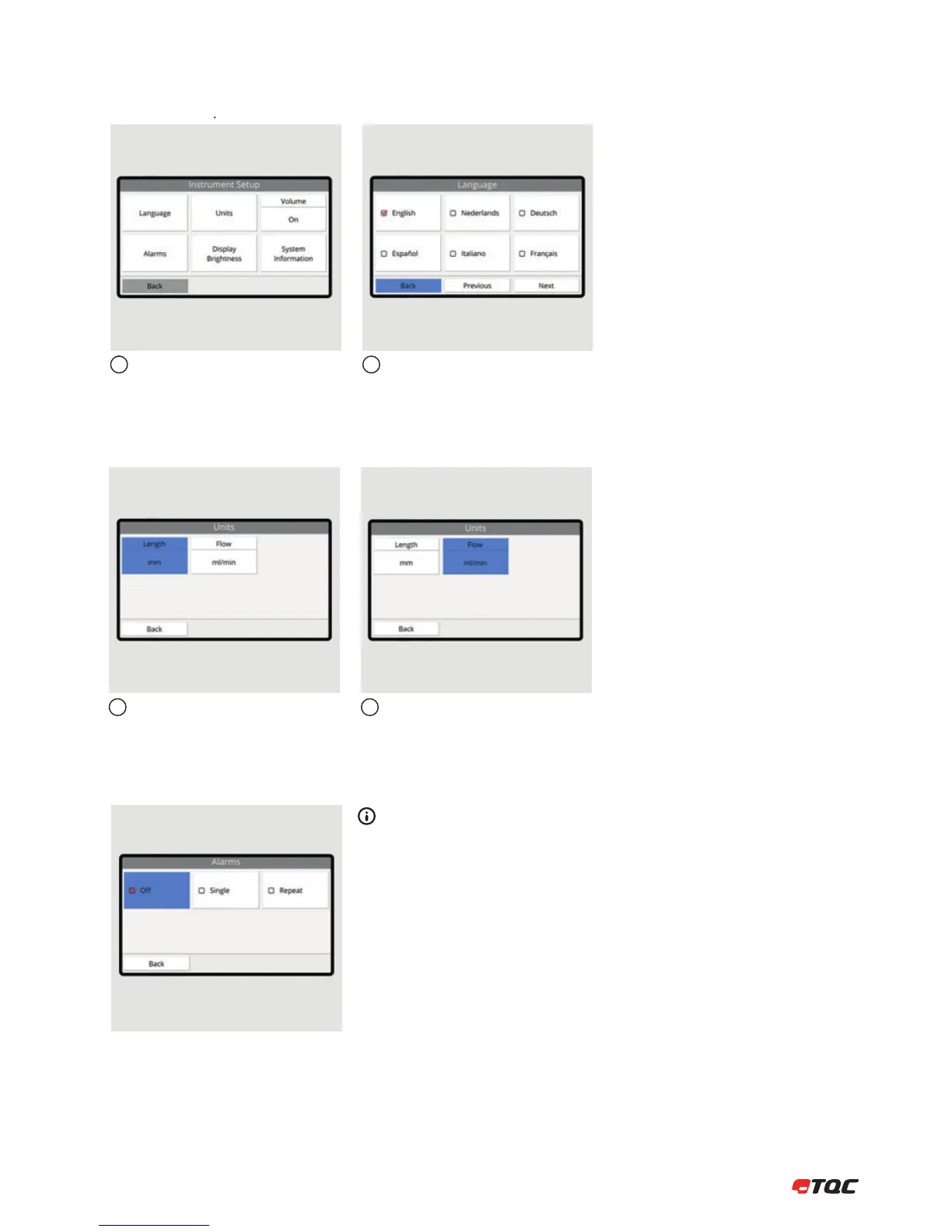
This menu contains all instrument related
settings and information about the system.
Select the desired language and click Back
to change the systems language.
12
Click Length to set the length unit. Options
are: Millimeter, Centimeter or Inch.
Click Flow to set the flow unit. Options are:
Millimeter per second or Gallons per Hour.
(AB6000 only)
12
9.2 Units
9.1 Instrument Setup Menu
9 INSTRUMENT SETUP
9.3 Alarms
O
Alarms will make no sound.
Single
Alarms will make a sound once.
Repeat
Alarms will repeat a sound, until turned off.


 To Next Page