| 22
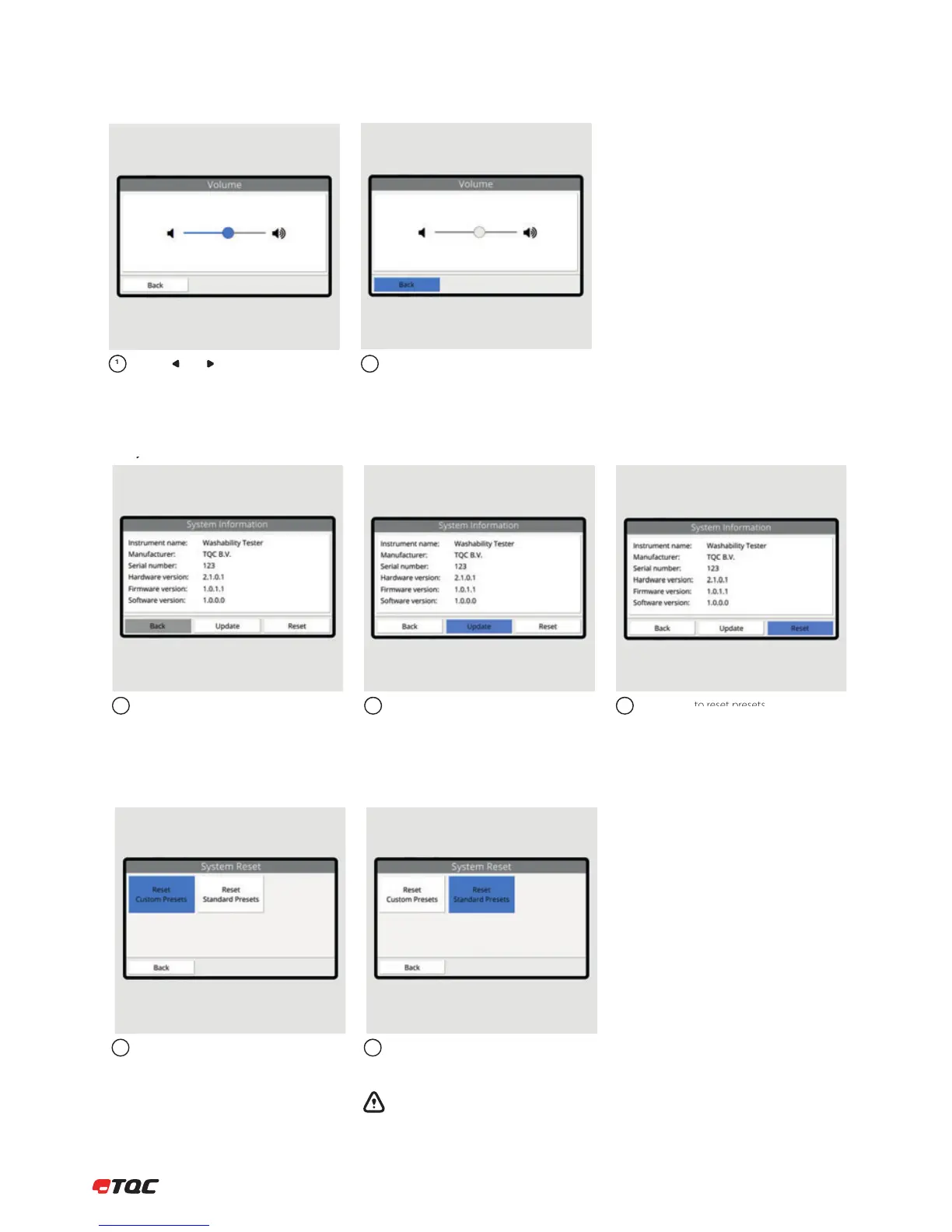
Use the and buttons to change the
brightness level of the display.
Click Back to save the brightness level.
12
Information about the instrument is listed
here. When requesting support, always
provide the serial number and the versions.
(Versions may be different than listed here.)
Information about updating the system will
be given when an update is released.
Click Reset to reset presets.
123
9.5 System Information
9.4 Display Brightness
Click Reset Custom Presets to remove all
custom presets.
Click Reset Standard Presets to set the
standard presets to their default values.
Warning: this action cannot be reversed.
Saved presets will be lost.
12
9.6 Reset


 To Next Page