17
2
Press the Standby button to wake the grill.
NOTES:
• The Traeger app for your mobile device makes operating your
WiFIRE® Electronic Controller even easier. To connect your phone
to your grill, download the Traeger app and follow the instructions.
To learn more about Traeger's WiFIRE® app, go to traeger.com/
app. Always update the Traeger app to the latest operating version
before each cook.
• Whatever cook method you choose, your Traeger® Grill will always
begin with an ignition and preheat cycle once you press IGNITE.
• Afer creating a Custom Cook program, those cycles will run
automatically; you will not have to program them.
• Always run your grill through the full shut-down cycle when you
are finished using your grill. To initiate the shut-down cycle, press
and hold the Standby button.
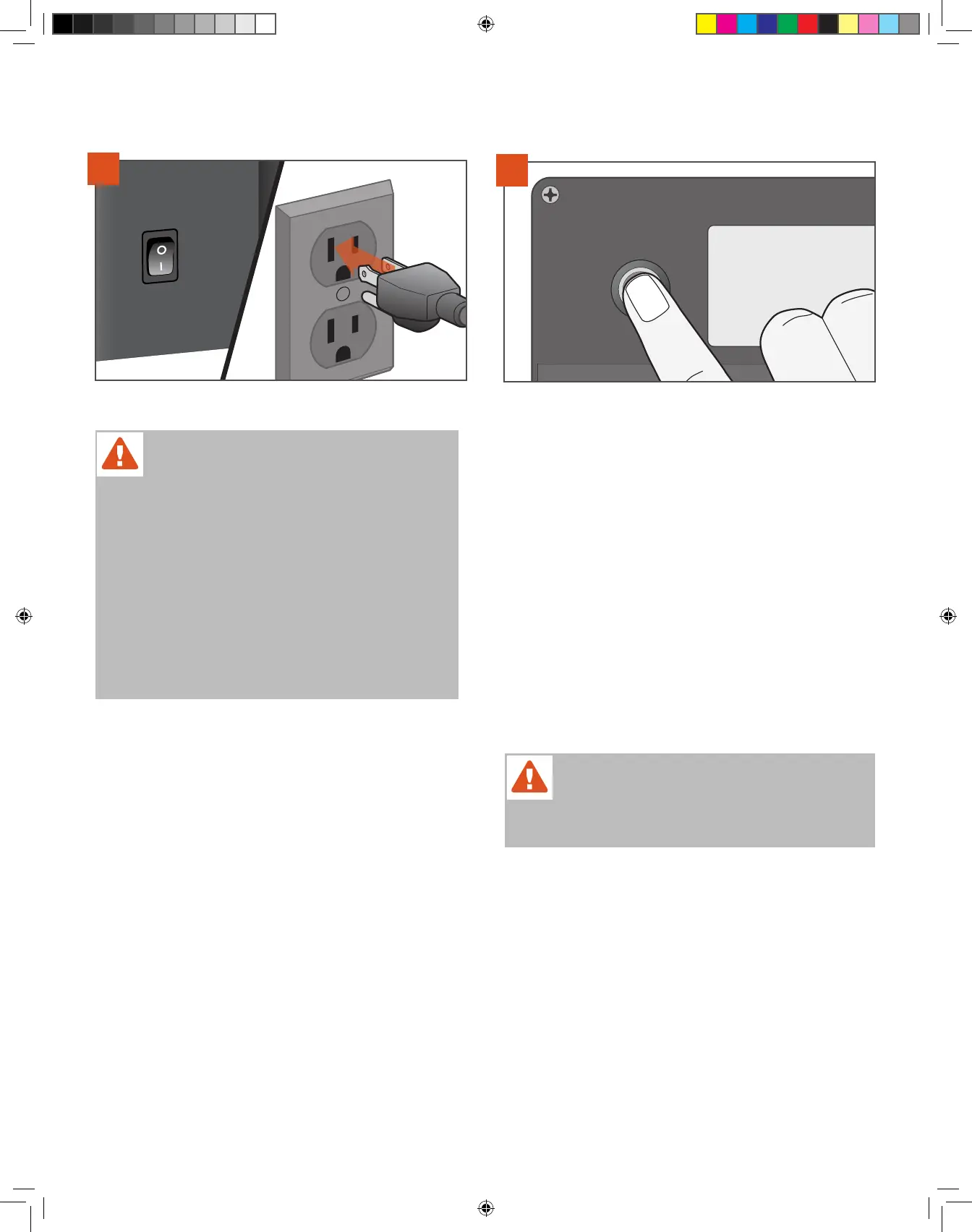
1
PLUG APPEARANCE MAY VARY BY REGION.
WARNING!
• WHEN OPERATING THIS GRILL, MAINTAIN A MINIMUM
CLEARANCE OF 18 INCHES (45.7 CM) FROM GRILL TO
COMBUSTIBLES, SUCH AS WOODEN RAILINGS OR HOME
SIDING.
• NEVER OPERATE THIS GRILL UNDER A COMBUSTIBLE
CEILING OR OVERHANG.
• ONLY OPERATE GRILL OUTDOORS.
• USE ONLY TRAEGER® BRAND HARDWOOD PELLETS, WHICH
ARE SPECIFICALLY MADE TO WORK IN OUR GRILLS. NEVER
USE HEATING FUEL PELLETS IN THE GRILL.
WARNING! WE RECOMMEND YOU CLEAN THE
GREASE DRIP TRAY AND TGMS FREQUENTLY TO
REDUCE THE POSSIBILITY OF A GREASE FIRE. PLEASE SEE
“MAINTAINING YOUR GRILL” ON PAGE 30 FOR MORE DETAILS.
T09627_Redland_OM_EN.indd 17T09627_Redland_OM_EN.indd 17 9/16/22 10:59 AM9/16/22 10:59 AM



 To Next Page