28 BAS-SVX10F-EN
Operation
Service Pin Request
Some sensor models can communicate a service pin request to their connected unit controller.
Sensors with Occupied/Unoccupied Buttons
To initiate a service pin request, press the Occupied button (Figure 2, p. 27) for 10–25 seconds. The
following occurs:
• Space temperature output is driven to 10 (nominal).
• The output generates for 15 seconds.
Display Sensor
To initiate a service pin request, the sensor must be configured to support occupancy and must be
in operating mode (see “Configuring the Display Sensor,” p. 13).
To initiate a service pin request:
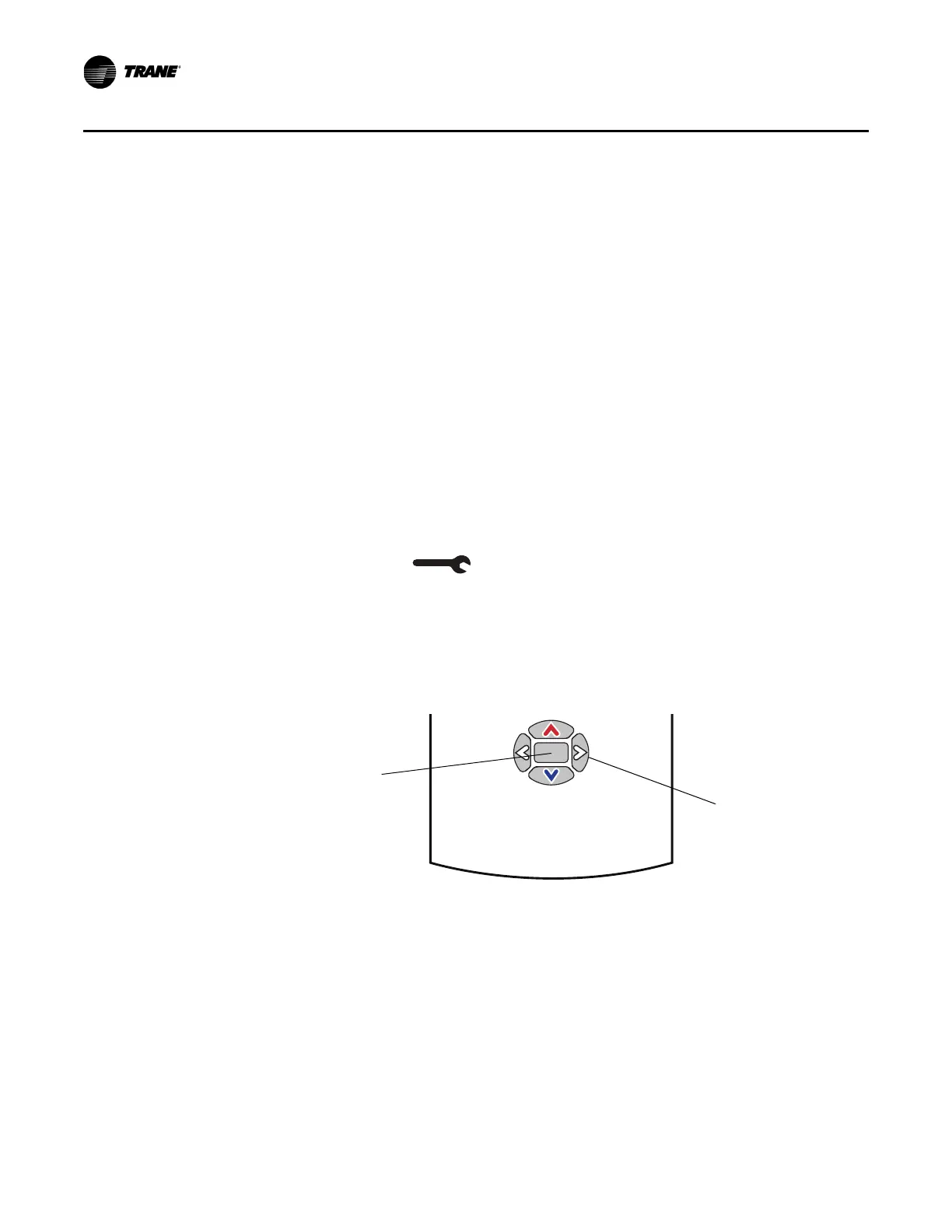
1. With the sensor in operating mode, navigate to the occupancy menu.
2. Press the right arrow on the keypad (Figure 3). The occupied symbol rema
ins on the screen; the
unoccupied symbol leaves the screen.
3. Press and hold the center button for 10 seconds. The f
ollowing occurs:
• The wrench symbol
appears.
• A service p
in request is initiated.
• Spa
ce temperature output is driven to 10 (nominal).
• T
he output generates for 15 seconds.
• After 15
seconds, the wrench symbol disappears.
Figure 3. Location of keys
for service pin request
Center button
Right arrow key


 To Next Page