
 Need help?
Do you have a question about the Trane BAYSTAT150A and is the answer not in the manual?
Instructions for changing the current hour and minute displayed on the thermostat.
Guide to selecting the operational mode for the thermostat (e.g., Heat, Cool, Auto).
How to adjust or override the fan mode from the Home screen.
Steps to temporarily adjust settings like setpoint or fan mode for a specified duration.
Detailed instructions for programming daily heating and cooling schedules.
Overview of available scheduling options (e.g., 1-day, 5+1+1, 5+2, 7-day).
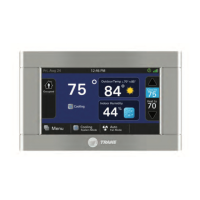
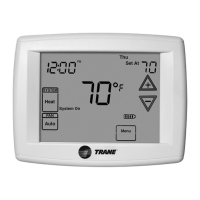
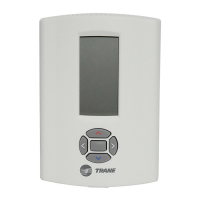
This document provides setup instructions for the Trane Programmable Thermostat, specifically models X13511537-01, BAYSTAT150A, and THT02774. It covers various functions including time setup, system mode configuration, fan mode, timed override, and schedule creation/editing.
The Trane Programmable Thermostat is designed to manage indoor environments by controlling heating, ventilating, and air-conditioning (HVAC) equipment. It allows users to program schedules for temperature and fan operation, offering both comfort and energy efficiency. The thermostat supports various system modes (Emergency Heat, Heat, Cool, Auto H/C, Off) and fan modes (Auto, On). Its programmable nature enables users to set different temperature setpoints and fan operations for various times of the day and days of the week.
+ increases the value, ✓ decreases it.^ or v to choose between Emergency Heat, Heat, Cool, Auto H/C, and Off.✓ from the Home screen.^ or v when the fan mode flashes.^ or v two times from the operating screen.^ or v to navigate selections (left/right) and change values.an for 2 seconds.^ or v to select days, periods, start times, heating setpoints, cooling setpoints, and fan settings.^ or v to change the time.^ or v to change temperature values. General
| Brand | Trane |
|---|---|
| Model | BAYSTAT150A |
| Category | Thermostat |
| Language | English |





 To Next Page