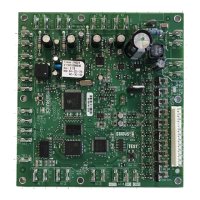
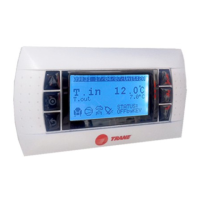
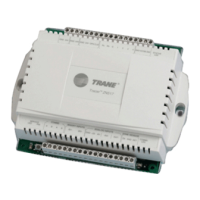
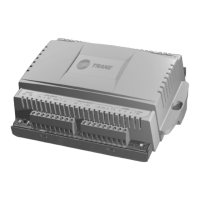
What to do if the LED is not lit on my Trane Controller?
- GGregory BoydAug 17, 2025
If the LED on your Trane Controller is not lit, it indicates that the power is OFF or there is a malfunction. Try cycling the power to resolve the issue.
What to do if the LED is not lit on my Trane Controller?
If the LED on your Trane Controller is not lit, it indicates that the power is OFF or there is a malfunction. Try cycling the power to resolve the issue.
What does it mean if the LED is not lit on my Trane Controller?
If the LED is not lit on your Trane Controller, it means that the controller isn't detecting communication. Cycle the power to try and reestablish communication.
Why is my Trane Controller showing a solid red light?
A solid red light on your Trane Controller, when powered, indicates low power or a malfunction. If it's due to low power, it could be undervoltage. If it's a malfunction, try unpowering and then repowering the unit to restore normal operation.
Why does the TX LED constantly blink on my Trane Tracer UC400?
The TX LED on your Trane Controller constantly blinks as it continually searches for devices to communicate with. To troubleshoot this, determine if a device, such as a Tracer SC or BACnet device, is trying to communicate with the controller and if it is capable of doing so. Also, verify if the communication status is consistently down and check the polarity and baud rate.
What does it mean if the LED is not lit on my Trane Tracer UC400 Controller relay output?
If the LED is not lit, it indicates that a relay output is de-energized or there is no power to the board. Try cycling the power to reestablish communication.
How to prevent UC400 Trane Tracer UC400 Controller from going into boot mode?
The controller is placed into boot mode if the service pin is held in when power is applied. Avoid holding the service pin during power-up to prevent this.
Why is the TX LED not lit on my Trane Tracer UC400 Controller?
The TX LED not being lit indicates that the Trane controller is not detecting communication. To resolve this, cycle the power to reestablish communication.
What to do if the Marquee LED is not lit on Trane Tracer UC400 Controller?
If the Marquee LED is not lit, it indicates that the power is OFF or there is a malfunction. Try cycling the power to resolve the issue.
How to fix a solid red Marquee LED on a Trane Tracer UC400 Controller?
A solid red Marquee LED on your Trane controller indicates low power, possibly due to under voltage, or a microprocessor malfunction. If it is a malfunction, un-power and then re-power the unit to bring it back to normal operation.
What to do if Binary outputs LED not lit on Trane Controller?
If the binary outputs LED is not lit, this indicates that a relay output is de-energized or there is no power to the board. Cycle the power to reestablish communication.
Details the controller's compliance with BACnet standards and supported equipment.
Explains the function and configuration of binary inputs like Occupancy and Condensate Overflow.
Details configurations for analog inputs like Space Temperature and Setpoint.
Details transformer recommendations and essential wiring guidelines for proper operation.
Explains the DCV sequence and how CO2 levels affect OA damper control.
Covers built-in strategies like Smart Reset, Freeze Avoidance, and Fan Status monitoring.
Guides on loading application code, choosing configurations, and setting parameters.
Provides methods to determine OA damper and CO2 setpoints based on ASHRAE standards.
Details the controller's compliance with BACnet standards and supported equipment.
Explains the function and configuration of binary inputs like Occupancy and Condensate Overflow.
Details configurations for analog inputs like Space Temperature and Setpoint.
Details transformer recommendations and essential wiring guidelines for proper operation.
Explains the DCV sequence and how CO2 levels affect OA damper control.
Covers built-in strategies like Smart Reset, Freeze Avoidance, and Fan Status monitoring.
Guides on loading application code, choosing configurations, and setting parameters.
Provides methods to determine OA damper and CO2 setpoints based on ASHRAE standards.
| Mounting | DIN Rail |
|---|---|
| Operating Temperature | -40°F to 158°F (-40°C to 70°C) |
| Enclosure Rating | IP20 |
| Controller Type | Programmable |
| Communication Protocol | BACnet MS/TP |
| Power Supply | 24 VAC |
| Power Consumption | 10 VA |
| Humidity Range | 5% to 90% RH non-condensing |
| Supply Voltage | 24 VAC/VDC |


Loading...