
 To Next Page
D
David SavageJul 31, 2025
What does it mean if the LED is continuously on on Trane Tracer ZN510 Controller?
- RRonald SantiagoJul 31, 2025
A continuously lit LED on the Trane Controller indicates an abnormal condition.

What does it mean if the LED is continuously on on Trane Tracer ZN510 Controller?
A continuously lit LED on the Trane Controller indicates an abnormal condition.
What does it mean if the LED is continuously off on Trane Controller?
A continuously off LED on the Trane Controller indicates that the controller is not detecting any communication, which is normal for standalone applications.
Why is the LED on my Trane Controller continuously on, even with power applied?
If the LED on your Trane Controller stays on even when power is applied, it could be due to someone pressing the service button or a controller failure. You can attempt to restore the unit to normal operation or unconfigured state using Rover, Trane’s service tool. Note: It is strongly advised that this function be performed under the guidance of factory service personnel.
Covers the initial installation steps for new units and zone sensor placement.
Details the sequence of operations when 24 VAC power is initially applied to the controller.
Explains the purpose and placement of the unit identification tag for easy identification.
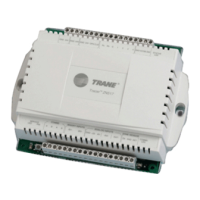
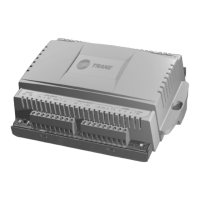
Overview of the ZN510 controller, its capabilities, and communication protocols.
Details 24 VAC power requirements and the function of binary outputs for control.
Covers binary input functions and the manual output test feature.
Notes absence of analog outputs and covers low temperature detection diagnostics.
Explains condensate overflow detection and occupancy binary input functions.
Discusses occupancy modes, morning warm-up, and high/low pressure switch functions.
Details analog inputs for sensors and covers space temperature and local setpoint functions.
Explains fan mode input, space temperature control, and setpoint validation.
Covers fan off delay, leaving water temp, filter timer, and discharge air temp.
Lists zone sensor inputs, setpoint adjustments, and operational methods.
Describes features like fan switch, ON/CANCEL buttons, and communication jacks.
Explains compressor cycling, PWM logic, and minimum ON/OFF timers.
Details single/dual compressor operation, unoccupied modes, and morning warm-up.
Covers controller data sharing, master/slave setup, and setpoint sharing.
Details configurable parameters set by Rover, including inputs, outputs, and setpoints.
Introduces troubleshooting with explanations of service LED indicators.
Covers manual output testing, pump operation, and common unit operation problems.
Addresses issues like fan output, compressor not running, and damper problems.
Lists controller diagnostics and their impact on fan, compressors, and dampers.
Explains diagnostic reset methods and provides steps for controller replacement.
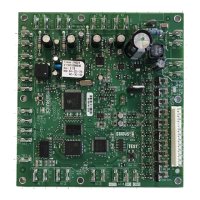
Illustrates electrical connections and terminal layouts for the ZN510 controller.
Details physical, environmental, power, and agency specifications of the controller.
 General
| Brand | Trane |
|---|---|
| Model | Tracer ZN510 |
| Category | Controller |
| Language | English |