EasyManua.ls Logo

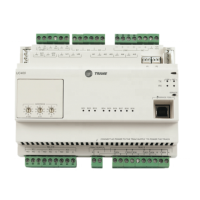
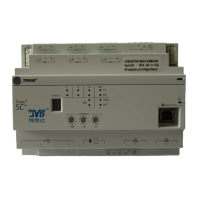
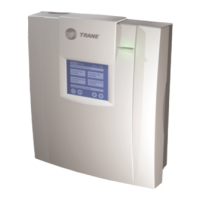
Trane Tracer AH540 - User Manual

Trane Tracer AH540
134 pages
Print Icon
To Next Page IconTo Next Page
Loading...
CNT-SVX05B-EN
Setup and Operation
Tracer
AH540/541 Version 2
Air-Handler Controller

Table of Contents

Questions and Answers

  • M
    Michael MartinJul 29, 2025
    Why my Trane Controller electric heat binary outputs do not energize?
    • H
      hcarrilloJul 29, 2025
      The Trane Controller energizes the electric heat binary outputs during heating and dehumidification modes. Also, ensure that the wiring between the controller outputs and the compressor contactors is correctly connected for normal electric heat operation. Check the unit configuration to be properly configured based on the actual installed end devices and application. If a local fan mode switch determines the fan operation, ensure it's not in the Off position, as this turns off all outputs. If the controller lacks power, the binary output will remain de-energized. You can use the manual output test sequence to verify output operation and associated output wiring.
  • P
    Patricia RossAug 2, 2025
    What to do if DX cooling binary outputs do not energize on Trane Controller?
    • D
      Danny BanksAug 3, 2025
      The Trane Controller energizes the DX cooling binary output during cooling modes. Verify the wiring between the controller outputs and compressor contactors for correct DX cooling operation. Ensure the unit is properly configured based on installed devices and application. A local fan mode switch in the Off position will turn off all outputs. Lack of power to the controller will keep the binary output de-energized. The manual output test sequence can be used to verify output operation and wiring.
  • P
    Patrick GrahamAug 7, 2025
    Why does the outdoor air damper stay open on my Trane Controller?
    • P
      Paul GloverAug 7, 2025
      The Trane Controller opens and closes the outdoor air damper based on its occupancy mode and fan operation. Verify the wiring between the controller outputs and the outdoor air damper. Ensure the unit is properly configured based on the installed devices and application. You can use the manual output test sequence to verify output operation and associated output wiring.
  • J
    joseph04Aug 11, 2025
    Why do valves stay open on my Trane Controller?
    • J
      John KempAug 11, 2025
      The controller opens and closes the valves to meet the unit capacity requirements. Ensure the wiring between the controller outputs and the valve(s) is correct. If the controller is in unoccupied mode with no demand and the outside air temperature is below the freeze avoidance setpoint, the controller opens the water valves to prevent coil freezing. If the controller or valves have no power, a normally open valve remains open. The controller must be properly configured. The manual output test sequence can be used to verify output operation and associated output wiring.
  • N
    Natalie JonesAug 19, 2025
    Why do valves stay closed on my Trane Controller?
    • J
      Jerry YoungAug 19, 2025
      If the controller does not have power, a normally open valve remains closed. The controller must be properly configured based on the actual installed end devices and application. Also, ensure that the wiring between the controller outputs and the valve(s) is correct. When Off is communicated to the controller, the unit controls the fan Off. When power-up control wait is enabled, the controller remains Off until it receives communicated information. When a local fan mode switch determines the fan operation, the Off position controls the unit Off and closes the valves. If the valve does not have power, a normally open valve remains closed.
  • J
    Justin JohnsonAug 25, 2025
    Why Trane Controller fans do not energize?
    • D
      David TorresAug 25, 2025
      When power-up control wait is enabled, the controller remains Off until it receives communicated information or the power-up control wait time expires. If the controller is in the unoccupied mode, the fan cycles between high speed and Off to maintain zone temperature. If a local fan mode switch is in the Off position, the unit turns Off. When Off is communicated to the controller, the unit controls the fan Off. If the controller lacks power, the fan will not operate. The controller must be properly configured based on installed devices and application. You can use the manual output test sequence to verify output operation and wiring. Ensure the wiring between the controller outputs and the fan relays and contacts is correct.
  • S
    Shawn OwenNov 15, 2025
    Why does the outdoor air damper stay closed on my Trane Controller?
    • M
      Marcia MccallNov 15, 2025
      The controller opens and closes the outdoor air damper based on the controller's occupancy mode and fan operation. During warm-up and cool down sequences, the damper remains closed. In unoccupied mode, the damper stays closed unless economizing is enabled. If the outdoor air temperature is below the low ambient damper lockout setpoint, the damper closes. When Off is communicated to the controller, the unit controls the fan Off. When power-up control wait is enabled, the controller remains Off until it receives communicated information. If a zone sensor fan mode switch is in the Off position, the outdoor air damper closes. If the controller or the damper actuator do not have power, a normally open damper remains closed. The controller must be properly configured, and the wiring must be corr...

Summary

Chapter 1 Overview and Specifications

Configuration Options

Details supported AHU configurations and functionality options.

Communication with Other Controllers

Explains inter-controller data sharing via LonTalk network.

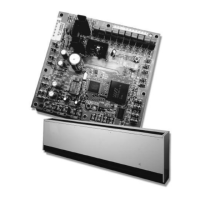
Controller Circuit Boards

Shows layout of main controller and termination boards.

Specifications

Provides dimensions, environment, and agency conformance.

Chapter 2 Operator Display

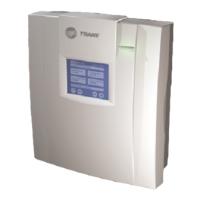
Installing the Stand-Alone Operator Display

Instructions for mounting the operator display up to 150 ft from the controller.

Connecting the Portable Operator Display

Describes how to connect a portable display for temporary use.

Setting Up the Operator Display

Covers navigating the home screen and setting time/date.

Display Calibration and Adjustment

Includes calibrating the touch screen and adjusting brightness/contrast.

Security Password Management

Steps to set up, change, or disable the security password.

Chapter 3 Input and Outputs

Binary Outputs

Details the six binary outputs, their functions, and locations.

Analog Outputs

Describes the five analog outputs, their functions, and ranges.

Analog Inputs

Details the eight analog inputs, sensor types, and valid ranges.

Binary Inputs

Explains the six binary inputs, their functions, and configurations.

Zone Sensors

Covers space temperature measurement, setpoint thumbwheel, and fan mode switch.

Chapter 4 Sequence of Operation

Control Modes and Temperature Control

Explains control modes, space/discharge temp control, and auto mode logic.

Component Operations

Details supply fan, valve, damper, mixed-air, economizer, and exhaust fan operations.

Special Operations and Protection

Covers electric heat, DX cooling, dehumidification, and unit protection strategies.

Chapter 5 Configuration

General Configuration Settings

Covers control modes, unit types, heating, cooling, dampers, timers, and diagnostics.

Input;Output Configuration

Details configuration of analog and binary inputs/outputs.

Setpoint and Limit Configuration

Covers various setpoints for temperature, pressure, and humidity.

Chapter 6 Verifying Operation and Communication

Test Button and Manual Output Test

Explains how to use the test button for output verification and diagnostics.

Service Pin Button and LEDs

Describes the Service Pin button function and interpreting LED indicators.

Diagnostics and Troubleshooting Overview

Details diagnostic types, resetting procedures, and interpreting multiple diagnostics.

Chapter 7 Troubleshooting

Fan Output Troubleshooting

Lists probable causes and solutions for fan outputs not energizing.

Valve Troubleshooting

Addresses issues with valves staying open or closed.

Outdoor Air Damper Troubleshooting

Covers causes for outdoor air dampers staying open or closed.

Output Troubleshooting (DX Cooling, Electric Heat)

Diagnoses issues with DX cooling and electric heat binary outputs.

Appendix

Unit Operation Based on Heat;Cool Mode

Summarizes unit operational states based on heat/cool modes.

Entering Water Temperature Sampling

Explains the flowchart for entering water temperature sampling.

Input Sensor Tables

Provides resistance and mA values for various sensors.

AH540;541 Network Variables

Lists network variable inputs and outputs for SCC and DAC profiles.

Trane Tracer AH540 Specifications

General IconGeneral
ModelTracer AH540
DisplayLCD
Input Voltage24 VAC
Communication ProtocolBACnet MS/TP
MemoryFlash

Related product manuals