7
INDICATOR CONFIGURATION
Configuration Menus
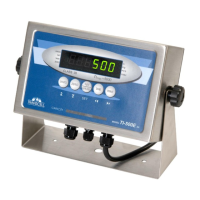
The TI-500E contains two (2) menus to configure the indicator:
Setup (“F”) Menu – Configures all metrologically-related parameters including calibration proce-
dures.
User (“A”) Menu – Configures communication parameters and other misc. parameters, e.g.,
Units key behavior.
The configuration menus are laid out in the following vertical arrangement:
• Top [Parameter] level
• Selection level (or function level, e.g., span calibration)
Please review the following chart to get a feel for how to navigate among the various menus and
parameters.
Entering the Setup (“F”) Configuration Menu
1. Switch off the indicator
2. Locate the slide switch on the rear cover and move it to the opposite position.
NOTE: A metal plate held on by two drilled-head screws conceals the slide switch.
3. Switch on the indicator. The display shows “F 1” to indicate that you are in Setup Menu
mode.
4. Move from one “F” menu parameter to the next by using the TARE (left) or PRINT (right)
keys. For example, to go from F1 to F2, press the PRINT key. To go from F2 back to F1,
press the TARE key.
5. Once you have arrived at the proper “F” menu parameter, e.g.,” F 1”, press the
ZERO (down) key once to arrive at the selection level. The indicator displays the current pa-
rameter setting.


 To Next Page