19
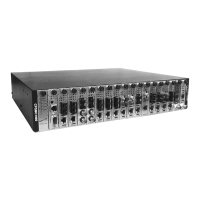
CPSMC19xx-100 PointSystem
™
Chassis
power supply
3.4 Power Supply Module Maintenance
3.4.1 Primary/Secondary-Management/Manual Switch
Both the AC (CPSMP-200) and DC (CPSMP-210) power supply modules have a set
of Primary/Secondary-Management/Manual switches installed on the circuit board.
Management/Manual Switch
The Management/Manual switch allows the PointSystem™ software to control and
override the physical setting on the Primary/Secondary switch.
• When set to ‘Management’, the power supply module has the default setting of
‘Primary’ unless changed, at the software interface, to ‘Secondary’.
• When set to ‘Manual’, the power supply module is set by the
Primary/Secondary switch. The software interface cannot change the setting.
Primary/Secondary Switch
The Primary/Secondary switch allows the power supply module to be configured as
the ‘Primary’ or as the ‘Secondary’ power supply module.
• As the ‘Primary’ power supply, it provides power to the entire chassis.
• As the ‘Secondary’ power supply, it waits in stand-by, ready to supply power to
the chassis in the event of power failure from the ‘Primary’ power supply.
Configuring Two Power Supply Modules
• For load sharing, where each module supplies power to half the chassis, set
both power supply modules to ‘Primary’.
• For back-up power supply, set one power supply module to ‘Primary’ (which
supplies power to the entire chassis) and the other to ‘Secondary’. In this mode,
the secondary module is in stand-by and takes over in the event of a power fail-
ure of the primary module.
NOTE: At least one power supply module must be set to ‘Primary.’ If both mod-
ules are set to ‘Secondary,’ neither will supply power to the chassis.
CAUTION: In a 0 - 60°C (32 - 140°F) environment, two power supplies must be
installed and both must be configured for load sharing.
24-hour Technical Support: 1-800-260-1312 -- International: 00-1-952-941-7600


 To Next Page
 Loading...