9
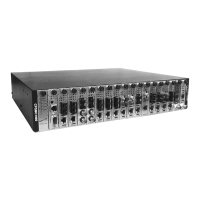
CPSMC19xx-100 PointSystem
™
Chassis
slide-in-modules
24-hour Technical Support: 1-800-260-1312 -- International: 00-1-952-941-7600
2.1.4 Replacing the Media Converter Slide-in-Modules
CAUTION: Wear a grounding device and observe electrostatic discharge precau-
tions when replacing media converter slide-in-module(s). Failure to observe this
caution could result in damage to, and subsequent failure of, the media converter
slide-in-module(s).
NOTE: The media converter slide-in-modules can be hot-swapped.
To replace a media converter slide-in-module in the CPSMC19xx-100 chassis:
1. Remove the slide-in-module to be replaced by loosening the panel fastener
screw that secures the module to the chassis front. Slide the module from the
chassis.
2. Align the replacement slide-in-module with the chassis installation slot so that
the panel fastener screw is at the top.
3. Carefully slide the replacement slide-in-module into the installation slot, while
aligning the module’s circuit board with the installation guides.
NOTE: Ensure that the slide-in-module is firmly seated inside the chassis.
4. Push in and rotate the attached panel fastener screw clockwise to secure the
module to the chassis.


 To Next Page
 Loading...