EasyManua.ls Logo

Transition Networks PointSystem CPSMC1900-100 - Connecting Slide-in-Modules to Network; Network Cabling Caution

Transition Networks PointSystem CPSMC1900-100
40 pages
Print Icon
To Next Page IconTo Next Page
To Previous Page IconTo Previous Page
Loading...
30
CPSMC19xx-100 PointSystem
Chassis
chassis
24-hour Technical Support: 1-800-260-1312 -- International: 00-1-952-941-7600
4.3 Connecting the Slide-in-Modules to the Network
Once the CPSMC19xx-100 chassis has been installed, the media converter slide-in-
modules may be connected to the network.
CAUTION: Connect input/output network cables ONLY to media converter slide-
in-module connectors within the same network protocol (such as Ethernet-to-
Ethernet, Fast Ethernet-to-Fast Ethernet, ATM-to-ATM). Failure to observe this cau-
tion will cause data transfer to fail.
Refer to user’s guides included with the media converter slide-in-modules for
cabling specifications and instructions.
4.4 Operation
Daily operation of the CPSMC19xx-100 chassis requires no network administrator
activity except for the occasional monitoring of the status LED indicators on the
chassis and on the installed media converter slide-In-modules.
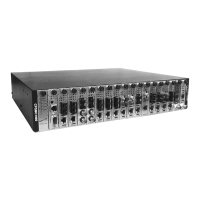
Each media converter slide-in-module and each management module has one or
more LED indicators to help monitor the CPSMC19xx-100 chassis network.
Refer to the user’s guide included with each management module and slide-in-
module to interpret the LED indicators.
CFMFF100
10BASE-2
CECF100
CFMFF100
0
50½
CFMFF100
CETTF100
Link Alert
E
D
CETCF100
CFETF100
CFETF110
CFMFF100
CFMFF100
LKS
PWR
LKM
LKS
PWR
LKM
Multimode
Singlemode
TX
RX
TX
RX
LKF
PWR
RXF
RXC
LKC
LA
PWR
RXF
RXC
LNK
COL
SPD
PWR
FRX
CRX
FLNK
CLNK
SPD
PWR
FRX
CRX
FLNK
CLNK
RX
TX
10/100TX
RX
TX
10/100SX
100BASE-TX
RX
TX
100BASE-FX
Link Alert
E
D
0
50½
Multimode
Singlemode
TX
RX
TX
RX
LA
PWR
RXF
RXC
LNK
COL
LKS
PWR
LKM
10BASE-2
10BASE-FL
10BASE-T
LKS
PWR
LKM
LKS
PWR
LKM
Multimode
Singlemode
TX
RX
TX
RX
Multimode
Singlemode
TX
RX
TX
RX
Multimode
Singlemode
TX
RX
TX
RX
10BASE-T
10BASE-FL
10BASE-T
RX
TX
LNK
PWR
RESET
DB-9
Check the individual user's guide for specific information on
how to connect each slide-in-module to the network.

MCCM10
MGMT MASTER
DB-9
CFMFF100
10BASE-2
CECF100
CFMFF100
0
50½
CFMFF100
CETTF100
Link Alert
E
D
CETCF100
CFETF100
CFETF110
CFMFF100
CFMFF100
LKS
PWR
LKM
LKS
PWR
LKM
Multimode
Singlemode
TX
RX
TX
RX
LKF
PWR
RXF
RXC
LKC
LA
PWR
RXF
RXC
LNK
COL
SPD
PWR
FRX
CRX
FLNK
CLNK
SPD
PWR
FRX
CRX
FLNK
CLNK
RX
TX
10/100TX
RX
TX
10/100SX
100BASE-TX
RX
TX
100BASE-FX
Link Alert
E
D
0
50½
Multimode
Singlemode
TX
RX
TX
RX
LA
PWR
RXF
RXC
LNK
COL
LKS
PWR
LKM
10BASE-2
10BASE-FL
10BASE-T
LKS
PWR
LKM
LKS
PWR
LKM
Multimode
Singlemode
TX
RX
TX
RX
Multimode
Singlemode
TX
RX
TX
RX
Multimode
Singlemode
TX
RX
TX
RX
10BASE-T
10BASE-FL
RX
TX
LNK
PWR
RESET
DB-9
LED indicators on the mana
g
ement module and slide-in-modules