23
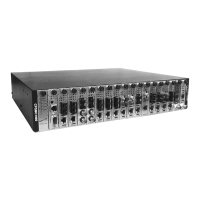
CPSMC19xx-100 PointSystem
™
chassis
power supply
WARNING: Do NOT connect the power supply module to the external power before installing it into
the chassis. Failure to observe this caution could result in equipment damage and/or personal injury or
death.
Replacing the DC Fuse
CAUTION: Wear a grounding device and observe electrostatic discharge precau-
tions when replacing the fuse in the power supply module. Failure to observe this
caution could result in damage to, and subsequent failure of, the power supply
module.
NOTE: Replace the fuse only with the same size and rating. Failure to observe this
caution could result in equipment damage.
1. Set the DC power supply module power switch to “0”.
2. Disconnect the power supply module from the external power source.
3. Remove the power supply module by removing the two (2) screws that secure
the module to the chassis. Slide the module from the chassis.
4. Remove the fuse from the fuse holder.
5. Install a same size and rating replacement fuse in the fuse holder.
6. Slide the power supply module into the installation slot, aligning the module
with the installation guides. Ensure that the module is firmly seated inside the
chassis.
7. Install the two (2) retained screws through the power supply module into the
chassis, rotating clockwise to secure.
8. Connect the power supply module to the external power source (see page 17).
24-hour Technical Support: 1-800-260-1312 -- International: 00-1-952-941-7600


 To Next Page
 Loading...