E.15
computer returns to normal operation.
ReSet (Ride Memory)-
Your computer has Ride Memory that calculates and stores Trip
Distance, Average Speed, Maximum Speed, and Ride Time. This
data can be reset to zero, and the computer will automatically
begin storing data again.
1. In any mode, simultaneously press <Mode>
and <Set>.
Install Battery-
1. Remove the computer from the handlebar
bracket.
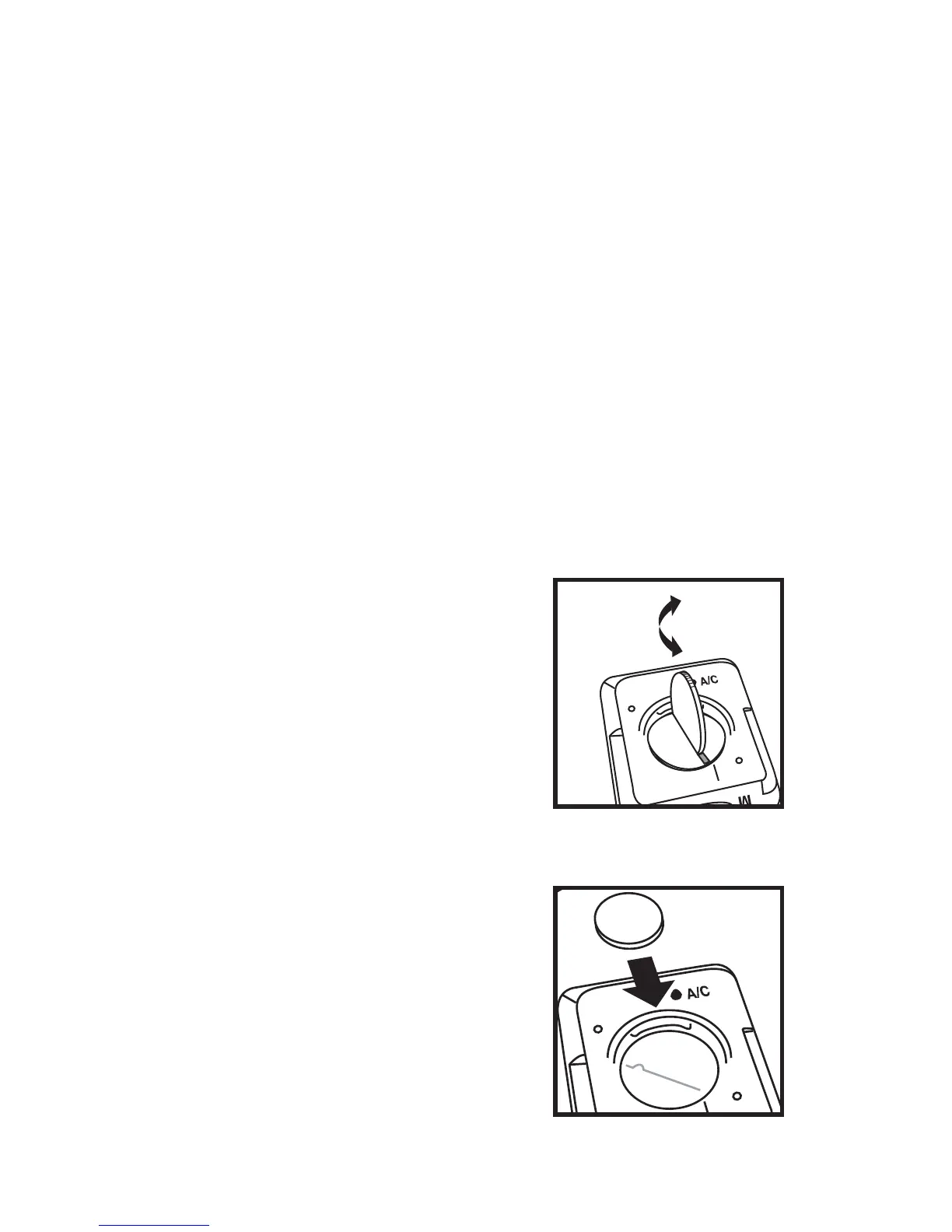
2. Turn the computer in your hand so the
display faces down. With a coin or similar object,
rotate the battery cover on the
back of the computer (Fig. 21).
3. After about 1/2 turn, the
cover can be removed. Turn the
computer over so the display is
face-up. Catch the parts in your
hand as the cover and battery
falls out.
4. Turn the computer
display face-down. Place the
battery into the computer with
the positive “+” side visible
(Fig. 22).
5. Replace the battery
cover by pressing it rmly into
Fig. 21



 To Next Page