Rear Panel
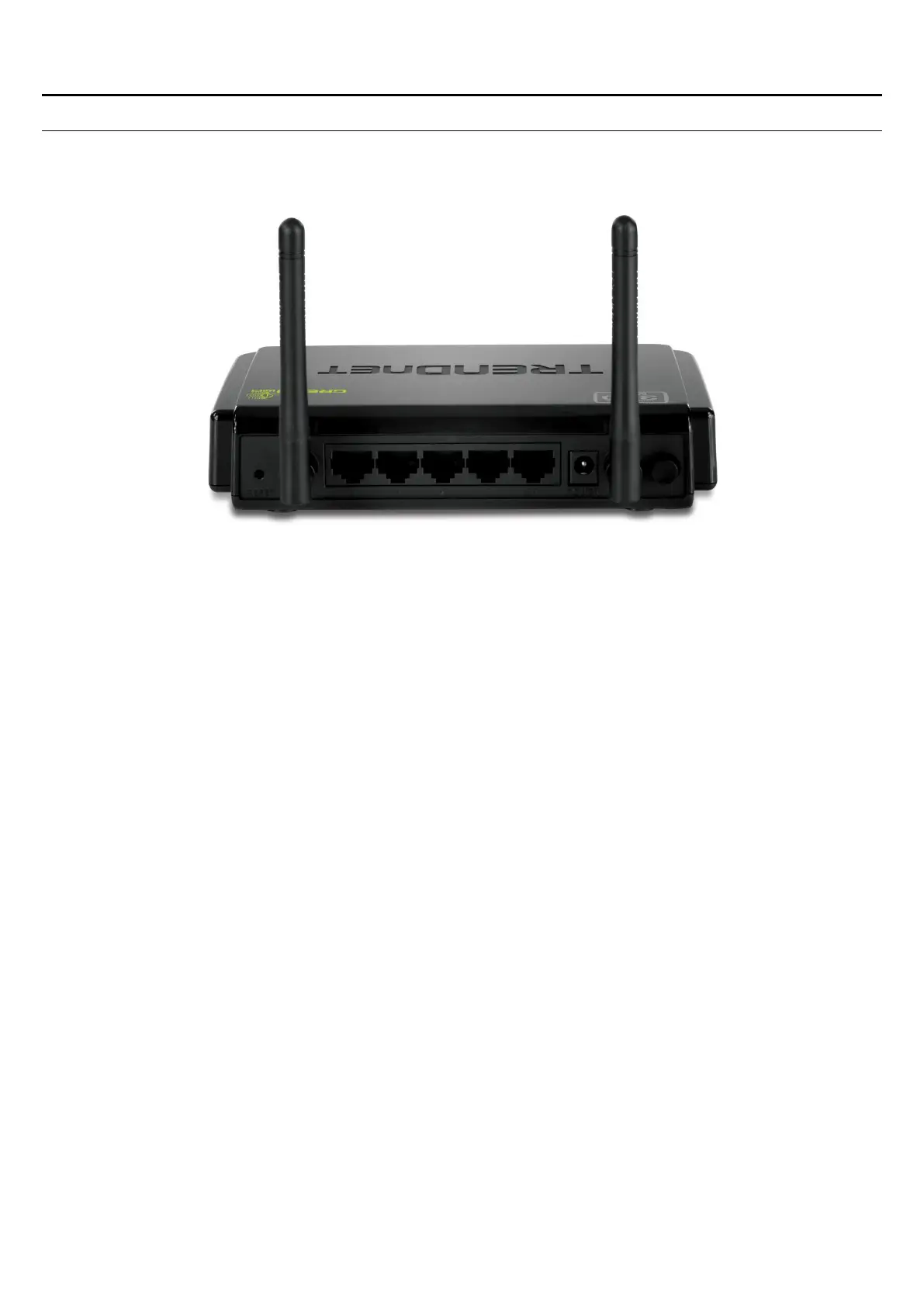
The figure below shows the rear panel of the TEW-652BRP 300Mbps Wireless N
Home Router.
Rear Panel
Antenna
There are two 2dBi gain antennas on the rear panel for wireless connection.
LAN (1-4)
Four RJ-45 10/100Mbps Auto-MDIX ports for connecting to either 10Mbps or
100Mbps Ethernet connections.
WAN
In the four port broadband Router, there is an RJ-45 10/100Mbps Auto-MDIX port
for the WAN that connects to the xDSL/Cable modem for Internet connectivity.
POWER
Plug the power adapter to this power jack
RESET
Use a pin-shaped item to push to reset this device to factory default settings (Hold
for 15 seconds and release). It will be a useful tool when the manager forgot the
password to login, and needs to restore the device back to default settings.
POWER SWITCH
Use the power on/off switch to turn the device on or off.















 To Next Page