Note:
1. If you would like to easily discover all the Web Management Switches on the network, assign
IP address, change password, then install the Web Smart Switch Management Utility. Follow
the steps provided on the user's guide.
2. To download the latest version of the user's guide and the utility, please go to
http://www.trendnet.com/support and select the TPE-082WS within the Products Download
dropdown list.
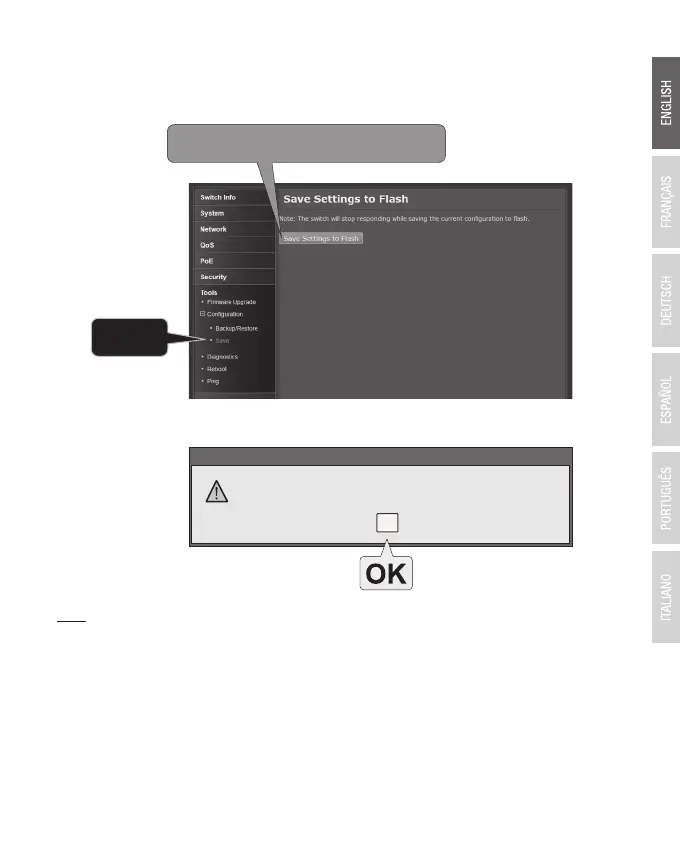
10. Click Save Settings to Flash (button).
11. Click OK.
4
WARNING
Save configuration finished.
9. In the left hand panel, click Tools, click on Configuration, and click Save.







 To Next Page