TRENDnet User’s Guide TPL-4052E
© Copyright 2015 TRENDnet. All Rights Reserved. 15
WinPcap. If you have installed a previous version of WinPcap, please uninstall it
manually. And then, start the installation from the beginning.
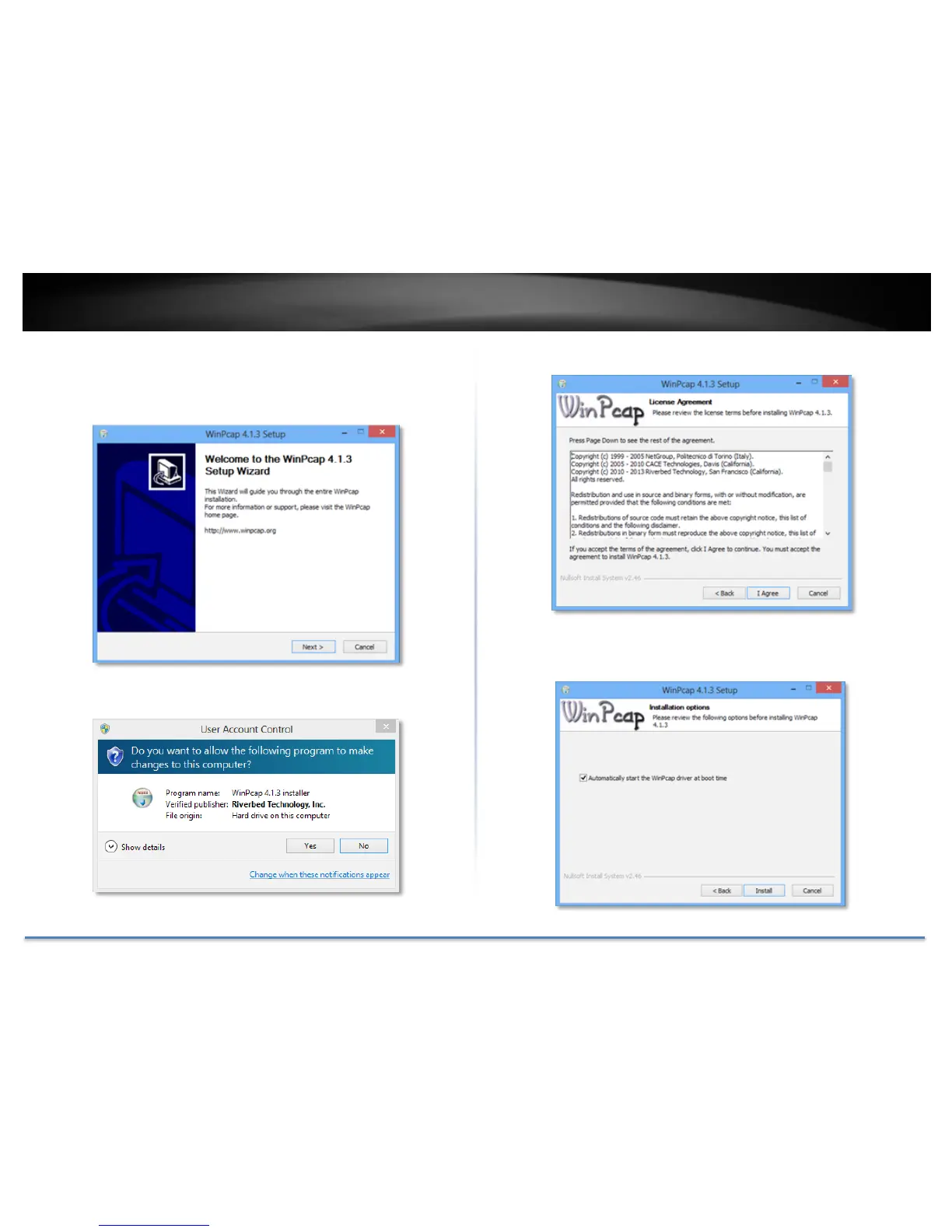
5. At the WinPcap installer window, click Next.
6. Click Yes to allow installation.
7. Review the license agreement and click I Agree.
8. In the Installation Options window, leave the Automatically start the
WinPcap driver at boot time checked and click Install.














 To Next Page