TY96/97 VHF Radio Installation Manual 29 July 2016
01238-00 Issue AD
______________________
Page 10 Trig Avionics Limited
The MIL reference for the basic style of hand tool is M22520/2-01. This style of tool can crimp many
different contact types, and relies on interchangeable "positioners" to hold the actual contact in use.
The MIL reference for the positioner that you need for the crimps we supply is M22520/2-08.
Any tool that complies with these references can be used to crimp these contacts. One of the most
popular vendors of these small hand tools is Daniels Manufacturing Corporation (see
www.dmctools.com). Their AFM8 hand tool complies with M22520/2-01, and their K13-1 positioner
is M22520/2-08 compliant, so the combination will crimp the supplied connectors.
Once crimped, the contacts should be slotted into the rear of the connector shell. Push the contact in
until the retaining tab clicks into place. Tug gently to confirm the contact is locked in place.
5.4.3 Power and Ground Wiring
The peak current consumption of the TY96 on transmit exceeds the current capability of a single pin on
the connector. Both power inputs must be wired, and at least two ground returns must be wired. This
is particularly important when the VHF radio is mounted on a non-conducting surface, such as a
composite structure.
Use 20 AWG wire for the power connection wires.
5.4.4 Stereo Wiring Considerations
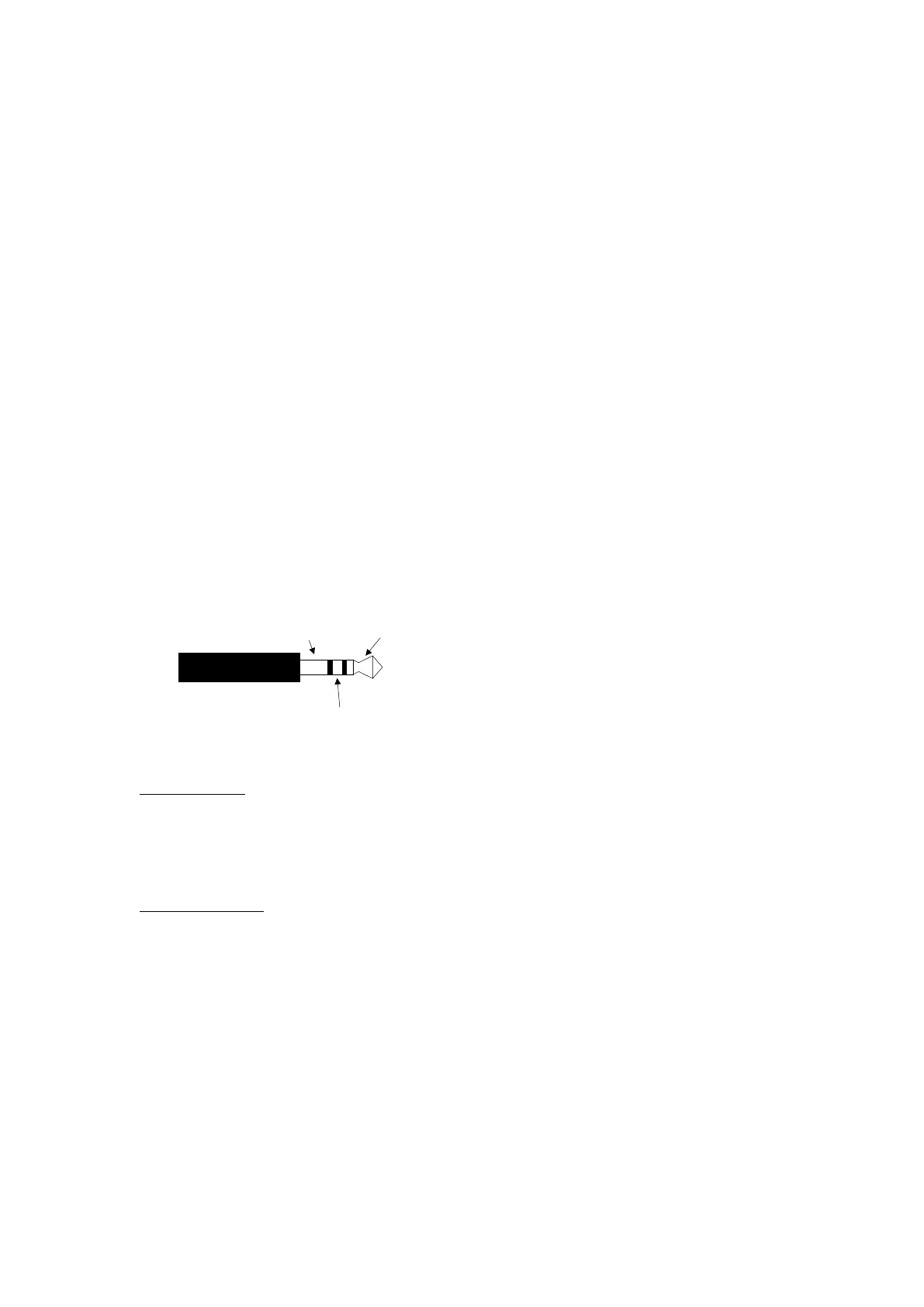
The TY96 uses stereo for the headphone connections. It is important to connect the left and right audio
signals correctly to ensure the intercom and dual watch audio is correctly routed to the headphones. A
typical general aviation headset will have the left channel on the tip and the right channel on the ring of
the phones jack.
Intercom Audio
The intercom will route MIC 1 audio to the centre of HEADPHONES 1 and to the left side of
HEADPHONES 2. The opposite is true for MIC 2 which will route audio to the centre of
HEADPHONES 2 and to the right side of HEADPHONES 1.
If the stereo wiring is incorrect then the audio will be routed to the wrong side of the headphones.
Dual Watch Audio
When using the dual watch function, the TY96 will route audio received on the primary channel to the
centre of both headphones. Audio received on the secondary channel will be quieter and routed to the
rear-right of the headphones.
5.4.5 Mono Wiring Considerations
The TY96 audio wiring can be connected to suit a mono installation. To do this, you must short the left
and right signal wires together at the TY96 end of the loom. This will have the effect of placing all
audio in the centre of the connected headphones.
This is may be relevant when replacing a previous mono VHF radio such as the Garmin SL40 or
Bendix/King KY196A/197A and you wish to utilise the existing wiring and mono headset jacks.
5.4.6 Audio Wiring
All wires carrying audio signals should be wired using 22 AWG shielded cable to MIL-C-27500 or
Sleeve
Ring
Tip


 To Next Page