TY96/97 VHF Radio Installation Manual 29 July 2016
01238-00 Issue AD
______________________
Page 20 Trig Avionics Limited
8. Normal Operation
8.1 Overview
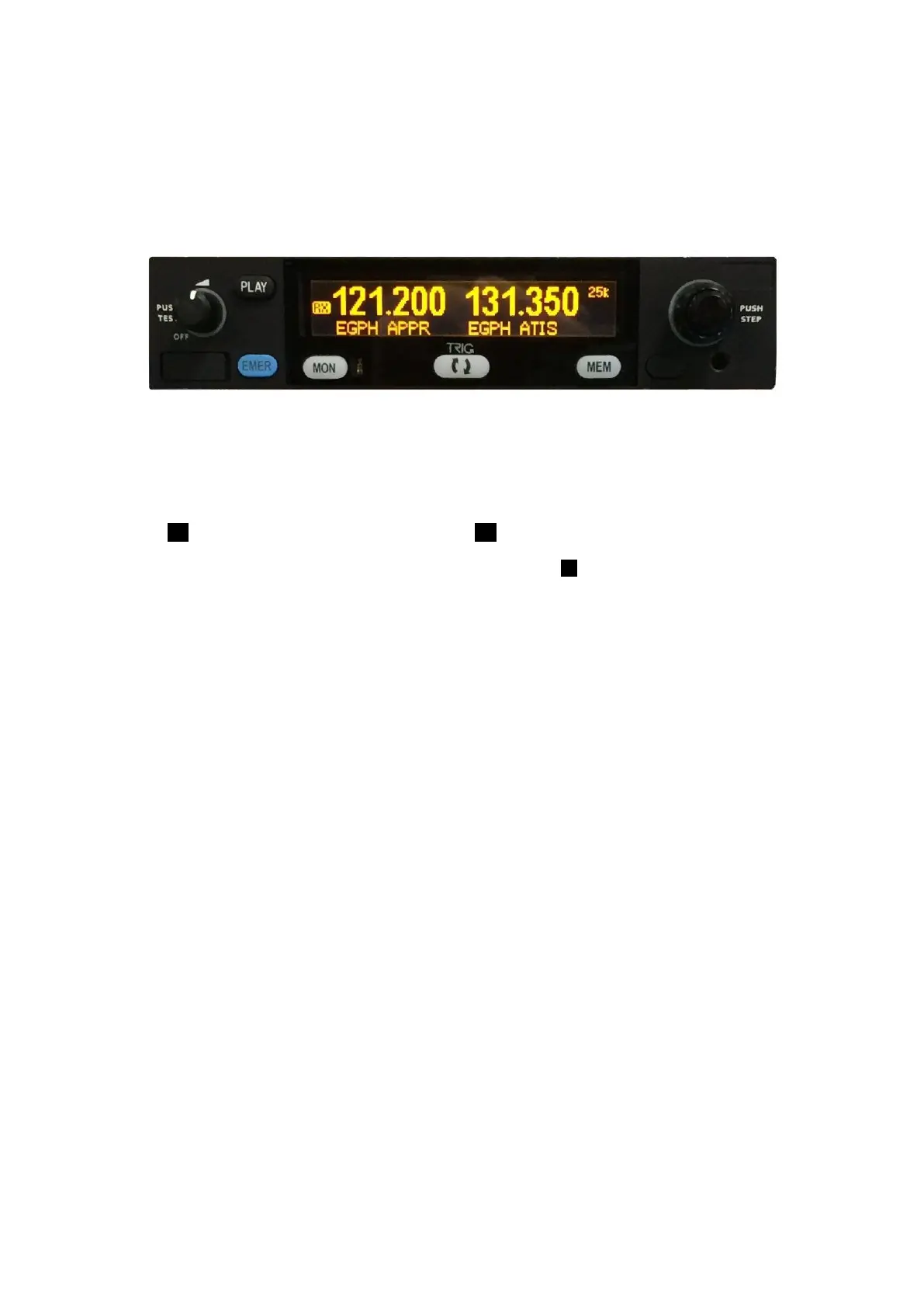
On the front panel is a monochrome LCD display flanked by a rotary volume knob (OFF, and Squelch
function) and a dual concentric tuning knob used for frequency entry.
8.2 Display
The display shows the active and standby frequencies for the radio, and has icons to indicate the
operating modes. An internal database automatically fills in the station identifier for the tuned
frequency if it is one of the stored values.
The primary frequency is on the left and the standby frequency is on the right hand half of the screen.
The TX icon shows that the radio is transmitting. An RX icon shows that the frequency is active and
the audio will be heard through the headphone and speaker outputs. The standby frequency will only
be received during the MONITOR function which is indicated by a +2 icon when active.
The top right hand corner indicates what frequency step size is selected – this determines the resolution
of the small tuning knob, and NOT the radio performance, which is determined by the actual channel
tuned.
The display brightness automatically dims based on ambient light.
8.3 On/Off Volume Knob
The left hand knob controls the power to the VHF radio, adjusts the audio volume, and controls the
squelch. Turning this knob clockwise will switch on the radio and then increase the volume. Turning
anticlockwise will reduce the volume and eventually will click off.
Pressing this knob toggles the automatic squelch on and off, which can be used to listen for faint
stations and as a simple audio test.
8.4 Tuning Knobs
The right hand knobs are used to tune the radio. The large knob adjusts the MHz portion of the standby
frequency, and the smaller knob adjusts the kHz portion of the standby frequency.
Pressing the end of the small knob changes the channel spacing that the small knob operates through.
If the radio is configured for 8.33 kHz operation, the steps toggle between 8.33 kHz channels and 25
kHz channels. If the radio is configured only for 25 kHz operation, the steps toggle between 25 kHz
and 50 kHz channels. Changing the step size does not change the behaviour of the radio, only the
tuning knob step size – it helps to quickly tune a frequency.
8.5 Flip-flop Button
The Flip-flop button swaps the frequency in the standby display at the right of the screen, into the
active position, and moves the active frequency to the standby position.
8.6 MON Button
The TY96/TY97 includes a dual-frequency listen feature; pressing the MON button toggles this feature
on and off.


 To Next Page