Doorbell e-PAD Operation and Features
The e-PAD is shipped with default authority and access codes. Unless
the OEM or dealer has changed default codes, the authority and access
codes are as follows:
Access code:
Authority code:
Locking Doors With Keypad
Press and hold down the (1 / 2) or (1) button for 1-2 seconds. An
access code is not needed to lock the doors.
Secure Operations
Entering a valid 5-digit access code enables secure operation. After
entering an access code, the keypad is enabled for 5 seconds and a
6th button press and release initiates a secure operation, such as
unlocking the doors.
Note:
The authority code does not allow for secure operations. It is only
used to assign access codes (see page 12 for information on
setting access codes).
If an unassigned button or no button is pressed while the system
is enabled, the keypad reverts back to disabled state.
The secure keypad operations are set depending on the system
configuration.
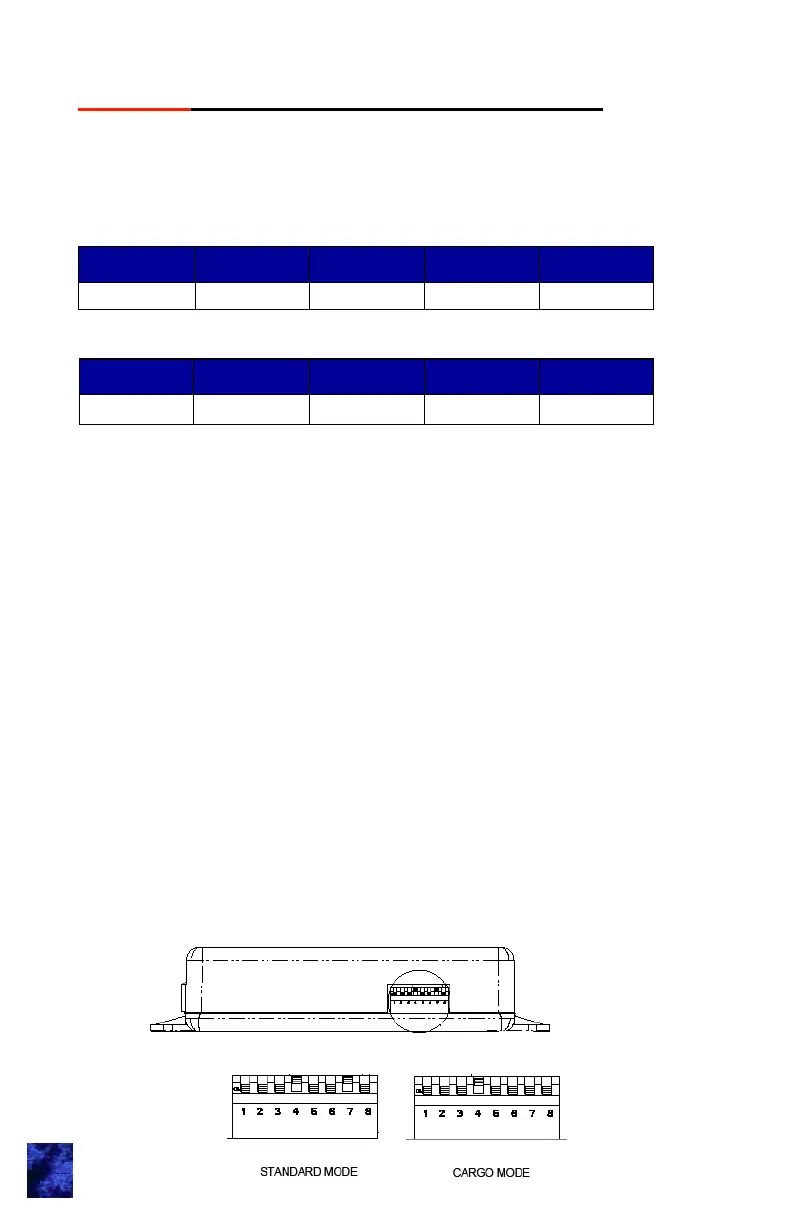
e-ASK CAN DIP Switch Configuration
Digit 1 Digit 2 Digit 3 Digit 4 Digit 5
1 2 3 4 4
Digit 1 Digit 2 Digit 3 Digit 4 Digit 5
4 4 4 4 4
3



 To Next Page