Page 13 of 16
Teaching Additional Transmitter Fobs
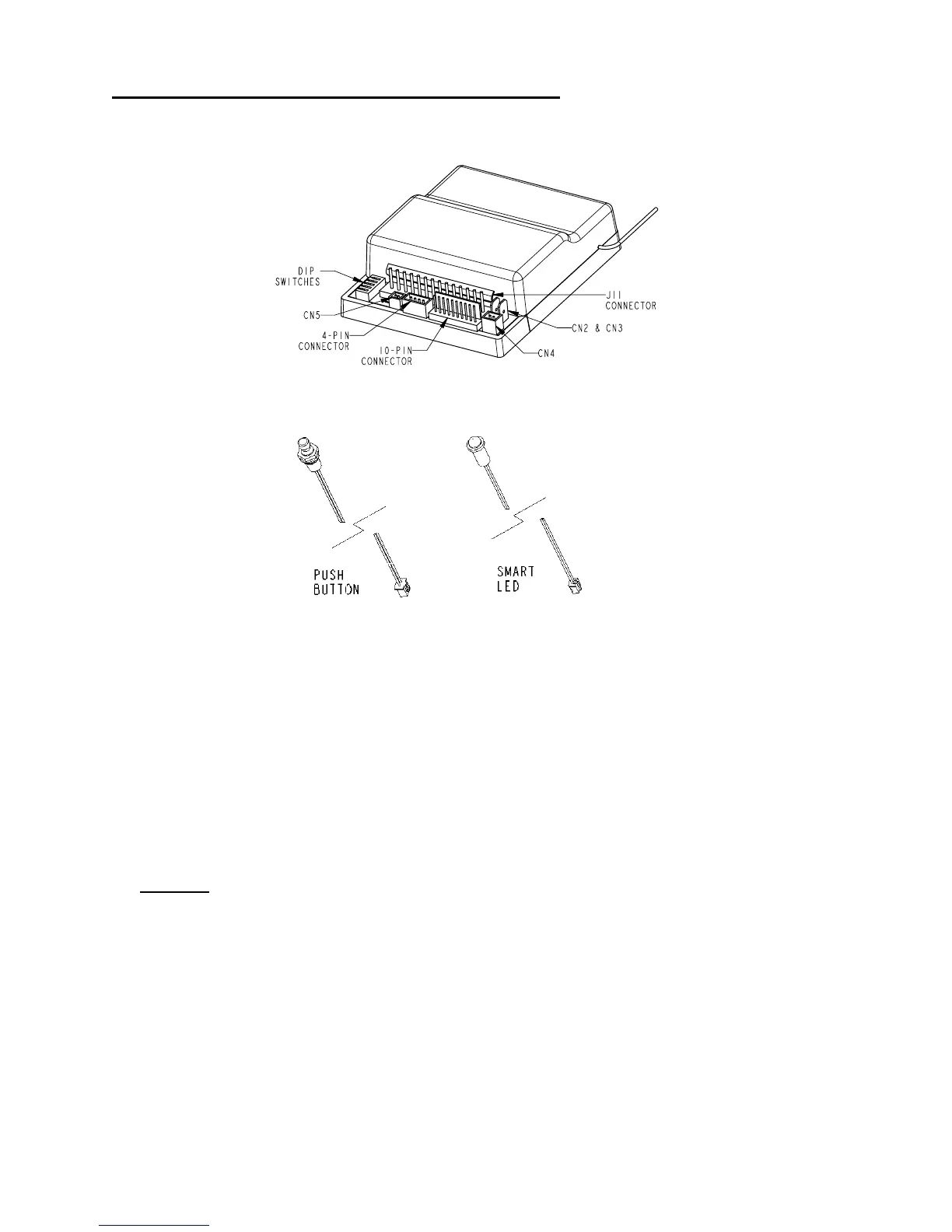
1. Plug the smart LED into CN4 and the push button into CN5.
2. Connect the yellow wire with spade connector to +12 V (see red wire with spade
connector).
3. Press and hold the push button switch until the LED assembly turns on and then
off (about 5 seconds).
4. Press the Entry Lock button of each new FOB transmitter once. Up to 4
transmitters may be programmed at one time.
5. When done, disconnect the yellow wire and verify proper e-FOB transmitter and
receiver reception.
NOTES:
• If you place the system in learn mode and teach nothing, the system will exit
in 10 seconds.
• If the 4-transmitter limit is exceeded, the system erases the earliest trained
transmitter. To erase a lost remote, teach the remaining or new remotes a
total of 4 times.
• It is recommended to teach all transmitters to be used at the same time.
This eliminates the potential to erase an earlier trained transmitter.
• The memory for codes is NON VOLATILE and will not be erased if power is
removed.



 To Next Page