46
ARGO USER MANUAL
B) T5 PCI EPP
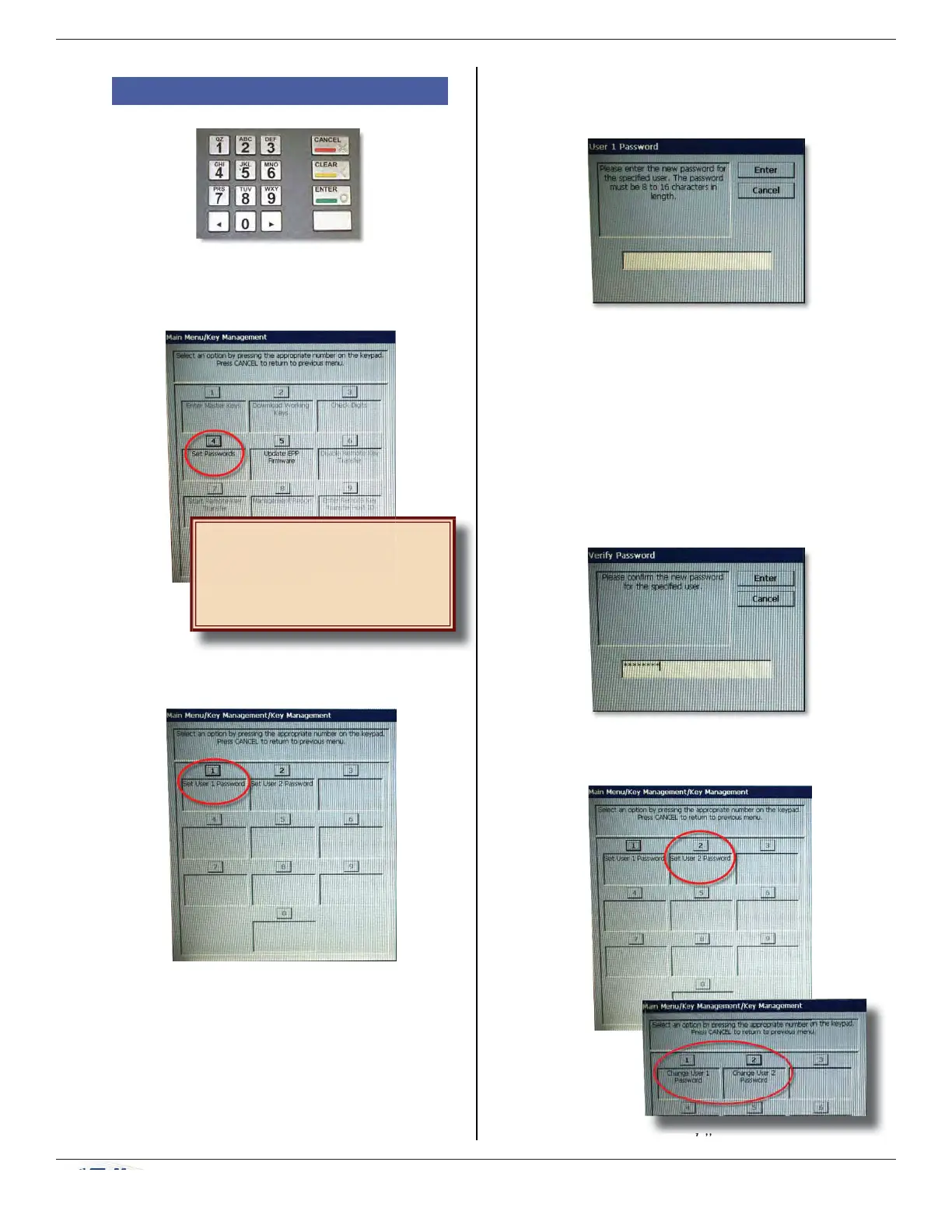
a) On Key Management menu, press 4 (Set
Passwords).
b) Press 1 (Set User 1 Password).
Until passwords are set, all
other options on this menu
except Update EPP Firmware
are inactive.
c) Enter password for the user, and press
ENTER.
NOTE: On the T5 EPP, the
password must be between 8-16
numeric digits.
NOTE: Some hosts may provide
the passwords for User 1 and
User 2.
d) Re-enter the password for the user to
confi rm, and press ENTER.
e) Press 2 (Set User 2 Password) and repeat
steps c) and d) for User 2.
Once the setup of
user passwords has
been performed,
this screen changes
to “Change User…Password.”



 To Next Page