SEE2 UV150 USB 2.0 EXTERNAL VIDEO ADAPTER
14
F
UNCTION
D
ESCRIPTION
This section describes the main functions provided by the SEE2 UV150.
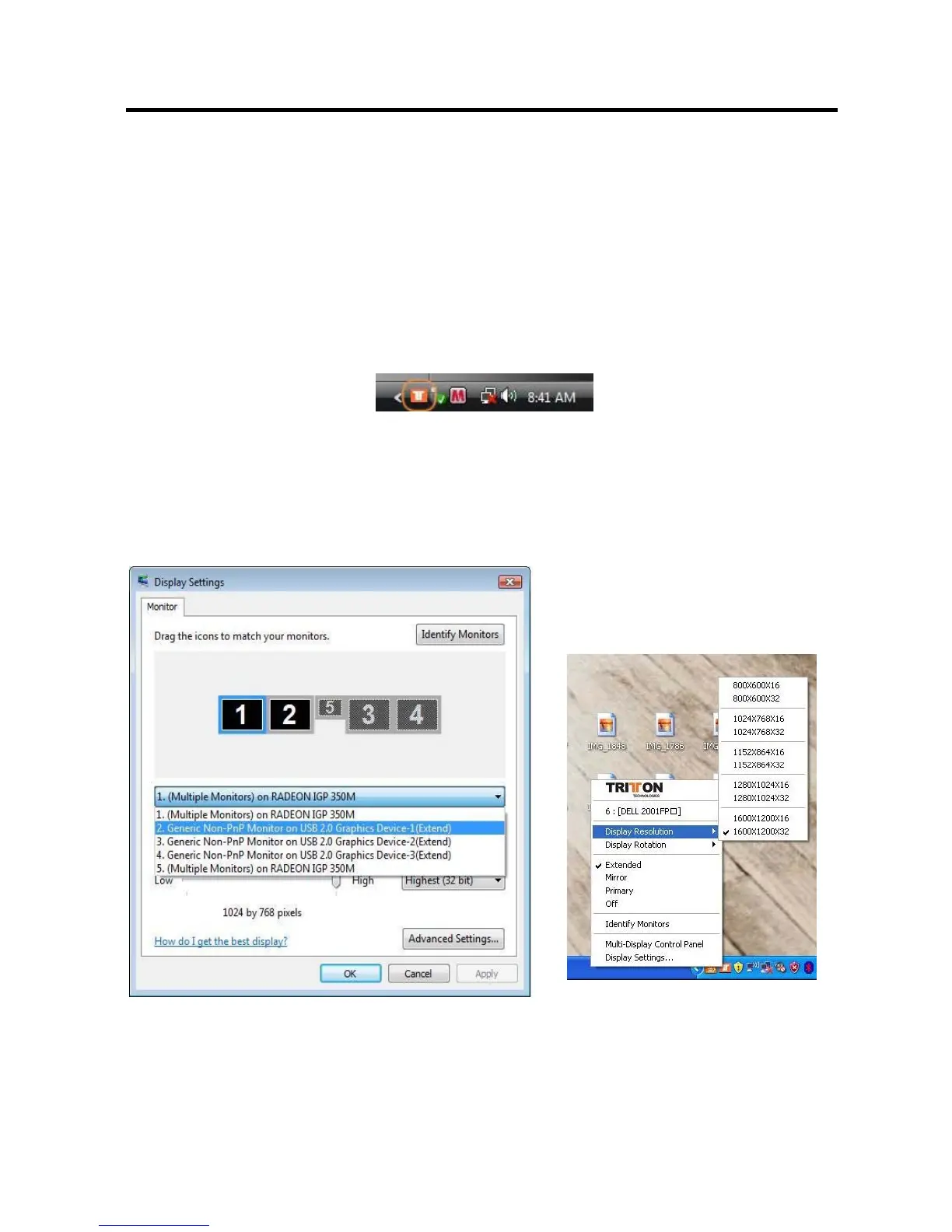
- The SEE2 UV150 can support LCD or CRT displays; The VGA interface can be
used on LCD or CRT monitors. Four different modes are available for use:
Primary, Extended, Mirror and Portrait Mode (Rotation) by right-clicking the utility
icon.
- The resolution can be modified via the Utility Icon or Display Properties. There is a
shortcut to Display Properties in the SEE2 UV150 system tray icon menu.


 To Next Page