SEE2 UV150 USB 2.0 EXTERNAL VIDEO ADAPTER
6
V
ERIFYING
D
EVICE
D
RIVER
I
NSTALLATION IN
W
INDOWS
2000/XP
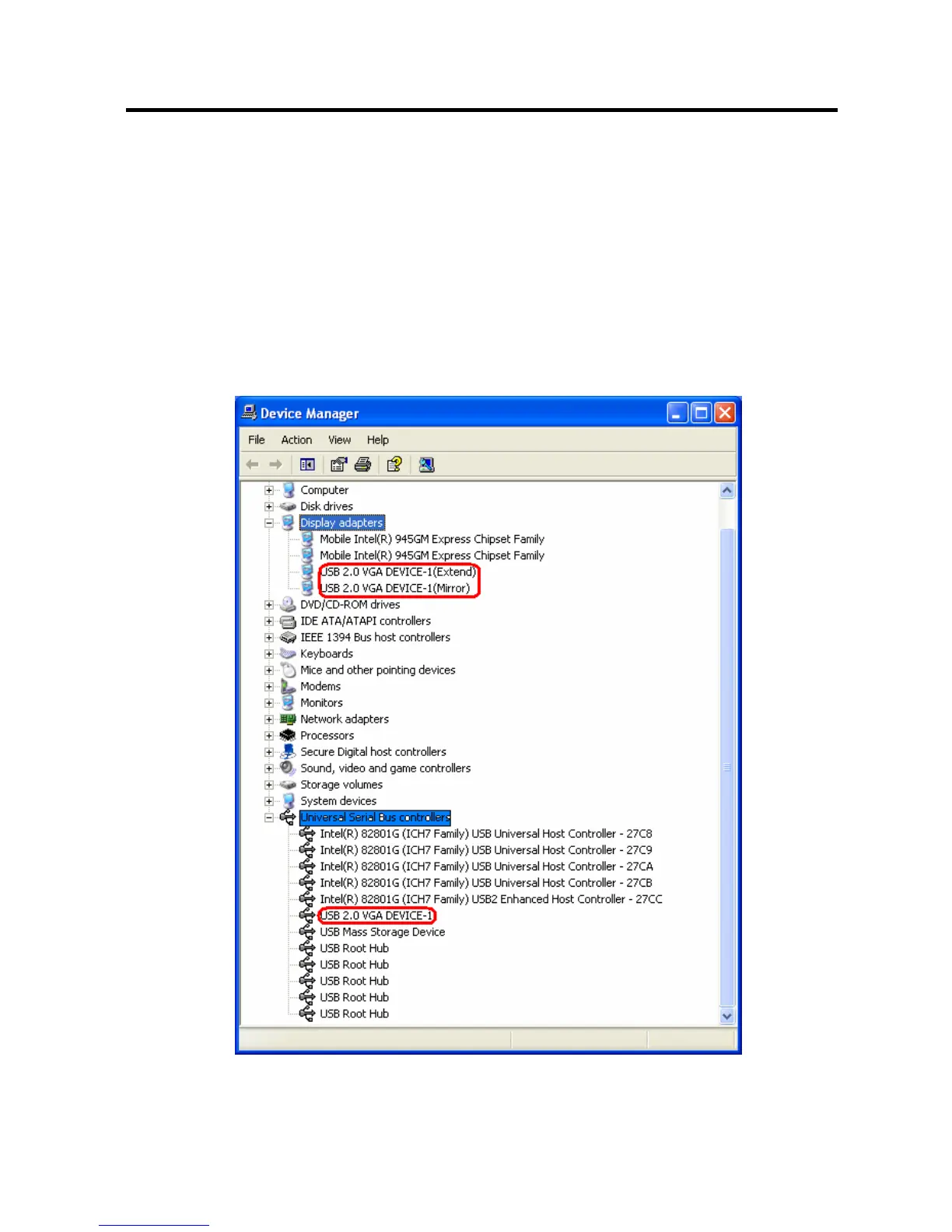
The following procedure allows you to verify the device driver installation. It is
optional, but a useful troubleshooting tool.
Right click “My Computer”
→ “Properties” → “Hardware” → “Device Manager”.
Double click “Display adapters”, and “Universal Serial Bus controllers”.


 To Next Page