SEE2 UV150 USB 2.0 EXTERNAL VIDEO ADAPTER
16
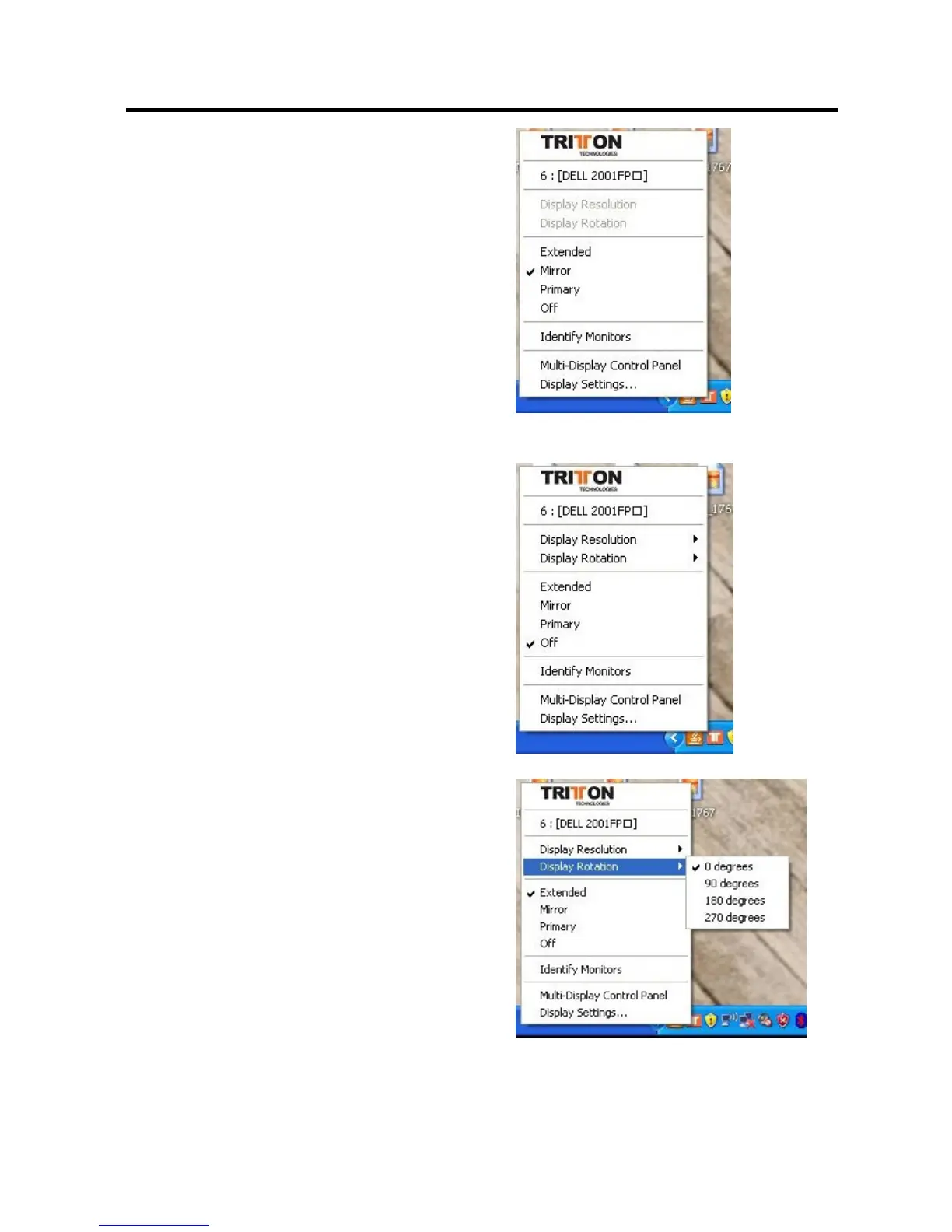
“Mirror” Mode
By setting this mode, the Windows desktop will
be mirrored/replicated to the secondary
CRT/LCD monitor. The screen resolution
setting on the secondary monitor MUST match
the primary screen’s resolution. For example, if
the primary resolution is 1600 x 1200 x 32bit,
the secondary monitor’s resolution will be the
same. If the selected resolution setting is not
supported by the primary screen, a warning
dialogue box will be displayed and the
suggested screen resolution will be shown.
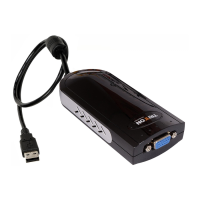
“OFF” Mode
This option disables the SEE2 UV150 on the
system.
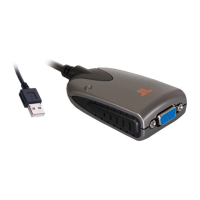
Rotation
This feature enables setting the orientation of
the secondary CRT/LCD monitor. Several
options such as “0 degrees”, “90 degrees”,
“180 degrees” or “270 degrees” are available
under the Extended or Primary mode. This is
helpful because some monitors rotate to the
left, and some to the right.


 To Next Page