SEE2 UV150 USB 2.0 EXTERNAL VIDEO ADAPTER
15
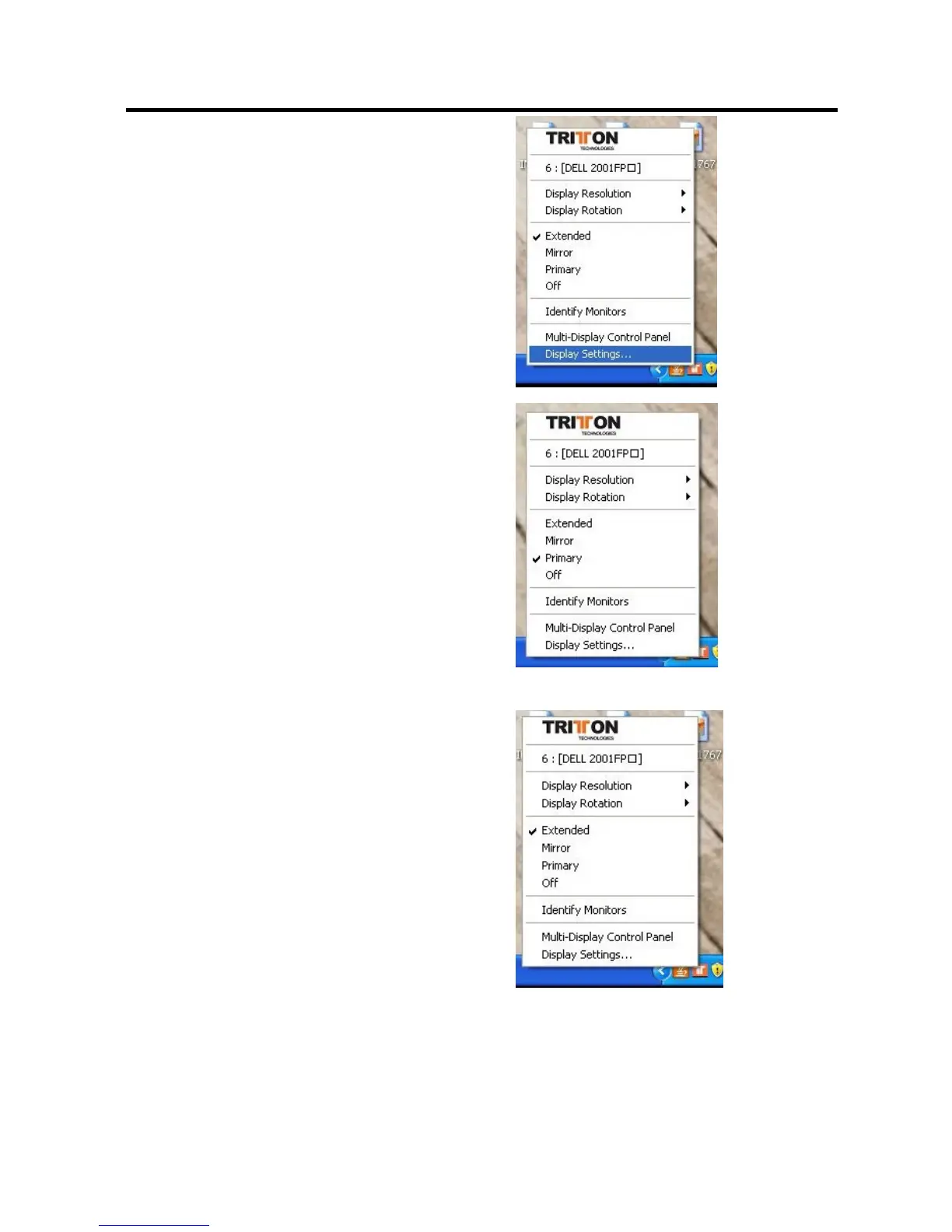
Display Settings Shortcut
Choosing the “Display Settings…” option
from the pop-up menu will open the Windows
Display Settings Control Panel.
“Primary” Mode
The system’s main graphics adapter will
automatically switch to act as the secondary
graphics adapter and the main screen as the
extended desktop.
The monitor connected to the SEE2 UV150
will now act as the primary Windows desktop.
Please be advised that display utilities that
shipped with some AGP and built-in display
adapters may prevent this option from working
on some systems. You can disable the other
utility program (usually found in the same
toolbar located on the bottom right hand
corner) to make this function work properly.
“Extended” Mode (Default)
By default, the monitor connected to SEE2
UV150 will work as, “Extended Desktop” which
extends the primary Windows desktop of your
system. You can change the relative position
of this extended desktop under the Display
Properties.


 To Next Page