EasyManua.ls Logo

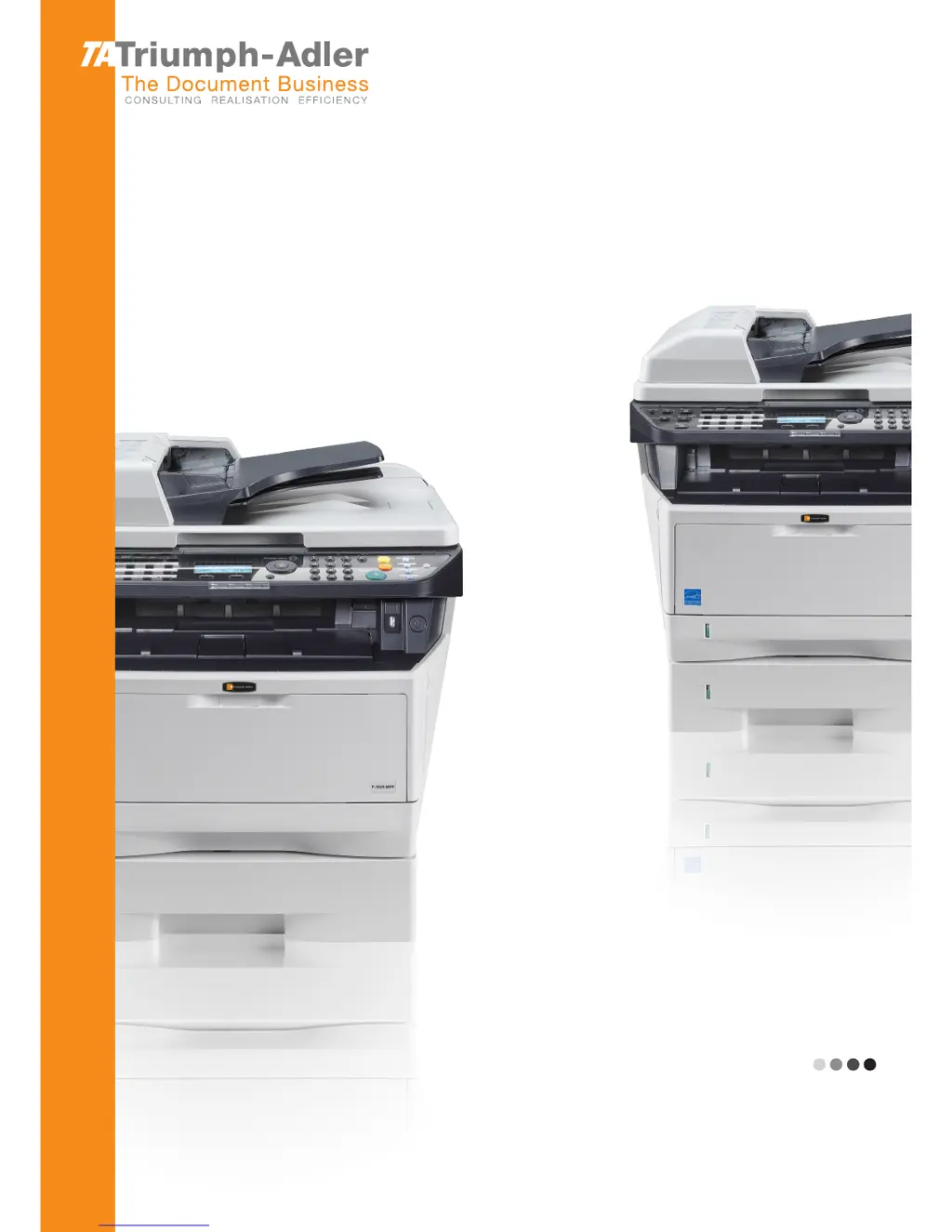
Triumph Adler P-3025 MFP - User Manual

Triumph Adler P-3025 MFP
481 pages
Print Icon
To Next Page IconTo Next Page
Loading...
P-3020 MFP/P-3025 MFP
P-3520 MFP/P-3525 MFP
User Manual
P-3020 MFP / P-3025 MFP / P-3520 MFP / P-3525 MFP
Digital Multifunctional System
Copy / Print / Scan / Fax
A4
EN

Table of Contents

Questions and Answers

  • J
    Jacob DiazSep 4, 2025
    What does it mean if pressing the Start key on my Triumph Adler P-3025 MFP does not produce copies?
    • S
      sara67Sep 4, 2025
      If pressing the Start key on your Triumph Adler All in One Printer does not produce copies, the machine may be in Sleep mode. Press any key on the operation panel to recover the machine from Sleep mode. The machine will be ready to copy within 15 seconds.
  • J
    Jasmine BarnesAug 25, 2025
    What to do if my Triumph Adler P-3025 MFP All in One Printer paper often jams?
    • K
      kyle54Aug 25, 2025
      If your Triumph Adler All in One Printer paper often jams, make sure you load the paper correctly. Also, if the paper is of the supported type but is in poor condition, remove the paper, turn it over, and reload it. Replace the paper with new paper if it is curled, folded, or wrinkled. Finally, remove any jammed paper from the machine.
  • T
    Tracy FosterAug 25, 2025
    What to do if my Triumph Adler P-3025 MFP All in One Printer cannot print?
    • C
      Christopher WallaceAug 26, 2025
      If your Triumph Adler All in One Printer cannot print, ensure that the power cord is plugged into an AC outlet and the power switch is turned on. Check that the printer cable is securely connected and that the machine was powered on after connecting the printer cable. If the print job is paused, press [Resume] (the Left Select key) to resume printing. If there is an error message displayed, follow the corresponding procedure.
  • M
    markreynoldsSep 12, 2025
    Why my Triumph Adler P-3025 MFP All in One Printer cannot send fax?
    • R
      Ricardo KellySep 12, 2025
      You cannot send a fax from your Triumph Adler All in One Printer because the modular cord is not connected correctly (connect the modular cord correctly) or the destination FAX line is busy (send again).
  • M
    Maria CohenSep 23, 2025
    Why Triumph Adler All in One Printer cannot perform memory reception?
    • T
      Tyler WeberSep 23, 2025
      If your Triumph Adler All in One Printer cannot perform memory reception, ensure there is free space available in the memory. Receive after creating free space in the memory.
  • S
    Steven Skinner MDSep 9, 2025
    What does it mean when my Triumph Adler P-3025 MFP displays 'Polling box limit exceeded. Job is canceled.'?
    • M
      Matthew HughesSep 9, 2025
      If your Triumph Adler All in One Printer displays 'Polling box limit exceeded. Job is canceled.', the job is canceled. Press the OK key.
  • A
    Adam CarneySep 1, 2025
    What does it mean when my Triumph Adler P-3025 MFP says 'Check cassette 1'?
    • J
      jasonbarberSep 1, 2025
      If your Triumph Adler All in One Printer displays 'Check cassette 1', a paper lift error has occurred in the paper source's cassette. Pull out the cassette for the paper source displayed (either the paper cassettes or optional paper feeders) and check if the paper is loaded correctly.
  • J
    Jason OrtegaSep 23, 2025
    Why I cannot use polling reception on Triumph Adler P-3025 MFP?
    • P
      Pamela GriffinSep 23, 2025
      If you cannot use polling reception on your Triumph Adler All in One Printer, verify with the recipient that polling transmission is being used correctly on the sending machine.
  • C
    Christina ScottSep 16, 2025
    Why Triumph Adler All in One Printer shows 'Job Accounting restriction exceeded. Cannot scan'?
    • V
      victoria37Sep 16, 2025
      If your Triumph Adler All in One Printer displays 'Job Accounting restriction exceeded. Cannot scan', it means fax transmission is prohibited by Job Accounting. Press the OK key to cancel the job and then check the settings for Job Accounting.
  • I
    icobbAug 28, 2025
    What to do if my Triumph Adler P-3025 MFP printouts are wrinkled or curled?
    • M
      Matthew JosephAug 28, 2025
      If printouts from your Triumph Adler All in One Printer are wrinkled or curled, the paper may be damp. Replace the paper with new paper.

Triumph Adler P-3025 MFP Specifications

General IconGeneral
FunctionsPrint, Copy, Scan, Fax
Print TechnologyLaser
Print Resolution1200 x 1200 dpi
Monthly Duty Cycle50, 000 pages
Copy Resolution600 x 600 dpi
Scan Resolution600 x 600 dpi
Fax Transmission Speed33.6 kbps
Paper Capacity250 sheets
Duplex PrintingYes
InterfaceUSB 2.0, Ethernet
DisplayLCD
Processor800 MHz
Continuous copy1-999 copies
Dimensions (W x D x H)417 x 412 x 437 mm
Weight19 kg
Print Speed (Black)25 ppm
Copy Speed (Black)25 copies per minute
Scan Speed25 ppm
Fax Resolution300 x 300 dpi
Fax Memory256 sheets
Paper output150 sheets
Paper sizeA4, A5, A6, Letter, Legal
Paper weight60 – 220 g/m²
Print functionsWatermark, Poster
Zoom range25-400%
Scan featuresScan to Email
Operating System CompatibilityWindows, Mac, Linux

Related product manuals