18 19
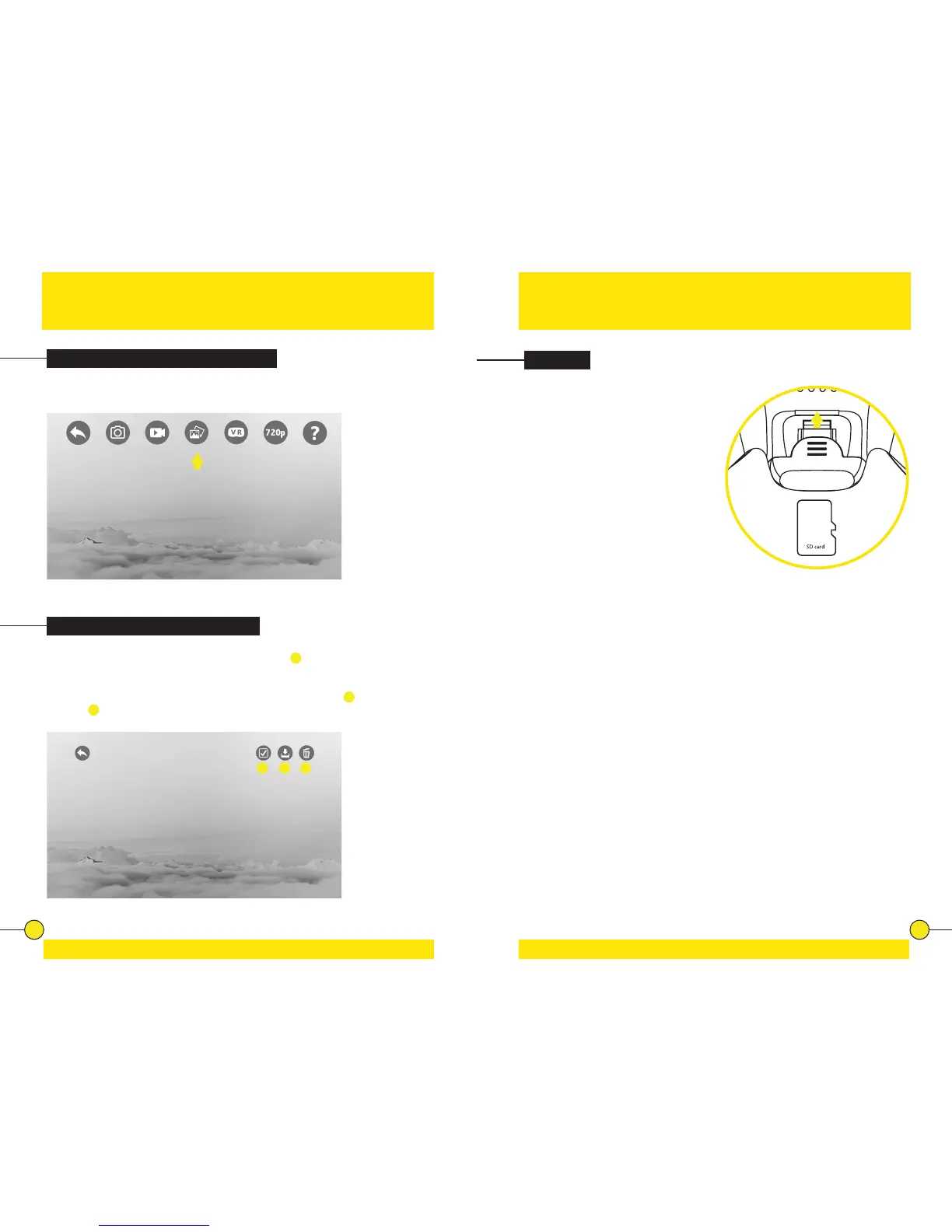
Playing Back Videos/Viewing Photos
Saving & Deleng Photos/Videos
Tap the gallery icon to view photo and video galleries.
In the photo or video gallery tap the selecon icon
1
to enter selecon
mode.
Now select the le(s) you want to save to your phone’s gallery
2
or delete
enrely
3
. Files that are saved show up in your phone’s gallery or camera roll.
The SD card is mounted at the boom
of FADER. You can remove the SD
card and connect it to your computer
via the microSD Card USB Reader.
You will nd the video and photo les
on the SD card. Make sure the drone
is turned o before extracng the SD
card from the drone.
When reinstalling the SD card, make
sure the drone is turned o and the
metal contacts on the SD card are
facing in the right direcon when
inserng the SD card. Now you can
safely turn on FADER and all new
photo and video les will be saved to
the installed SD card.
1 2 3
SD Card


 To Next Page