14 15
Setup App
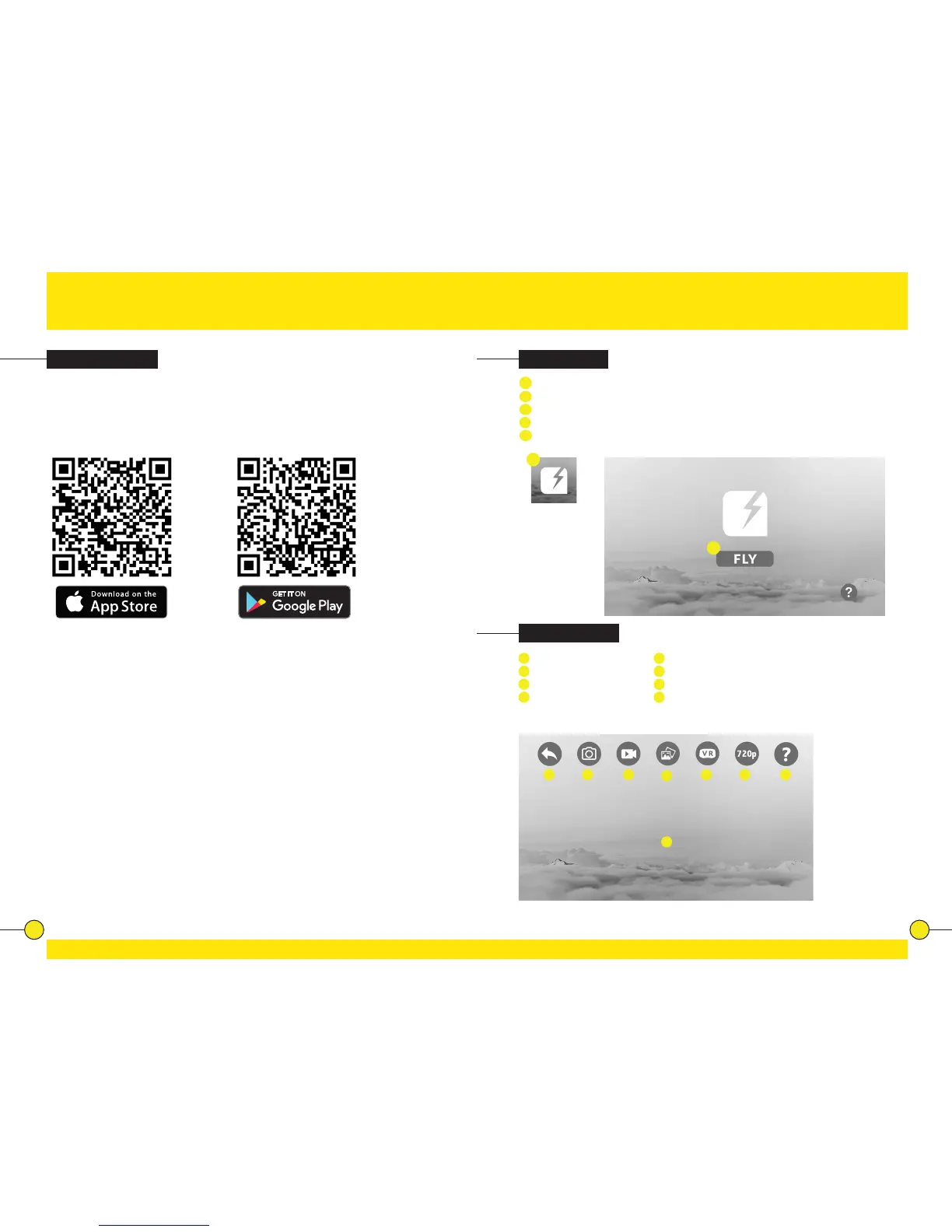
App Installaon
The App is suitable for mobile phones with iOS or Android. The App can be
downloaded from the App Store or Google Play.
Scan the QR code to download the App: TRNDlabs FADER
For mobile phones with
iOS, search TRNDlabs
FADER in the App
Store.
For mobile phones
with Android, search
TRNDlabs FADER in
Google Play.
Connecng
App Funcons
1
Pair the drone and controller, see chapter “Pairing” (page 10)
2
Enter the sengs of your mobile phone and turn on the WiFi.
3
Select “FADER-XXXX” in the list of networks.
4
Go back and select the FADER App.
5
Tap on the FLY buon to enter the Live Video interface.
4
FADER
5
1
Back to Home
2
Take a Photo
3
Record a Video
4
View Photos/Videos
5
VR Mode
6
720p preview
7
Help
8
Tap on screen to hide/show buons.
1 2 3
4
5 6
8
7


 To Next Page