16 17
Back to Home
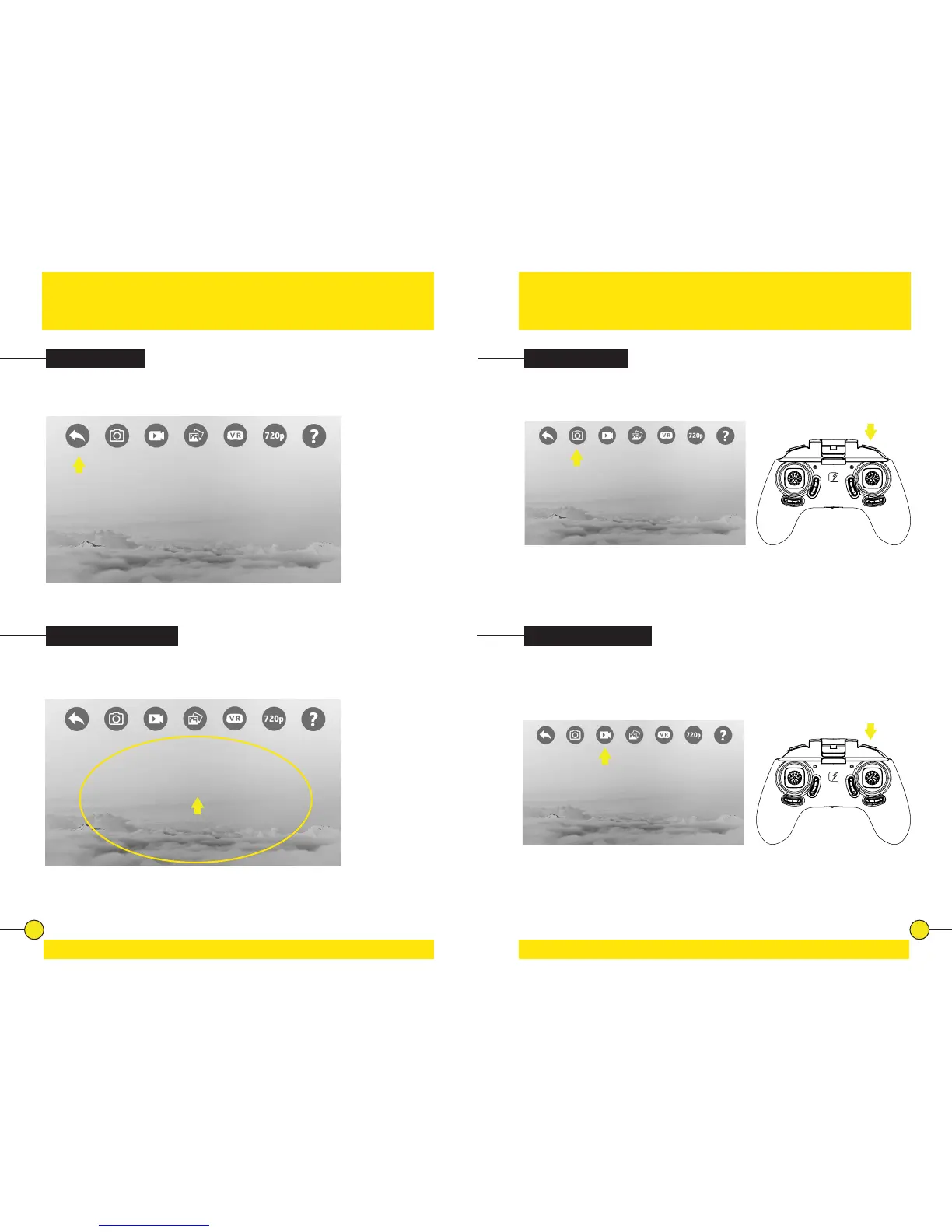
Tap the back icon to return to the home screen.
Show/Hide Buons
Tap anywhere on the screen to hide the buons. Tap again to bring up the
buons again.
Photo & Video
Taking a Photo
Recording a Video
Tap the photo icon to take a photo. The icon will ash yellow momentarily, to
nofy a picture is taken. You can also take a picture with the Photo Buon on
the controller. Press the Photo Buon once to take a photo.
Tap the video icon to record a video. The icon will turn yellow when it’s
recording. Tap the icon again to stop recording, the icon will turn grey again.
You can also record a video by pressing the Video Buon on the controller for
3 seconds. Press the buon again for 3 seconds to stop recording.


 To Next Page