2524
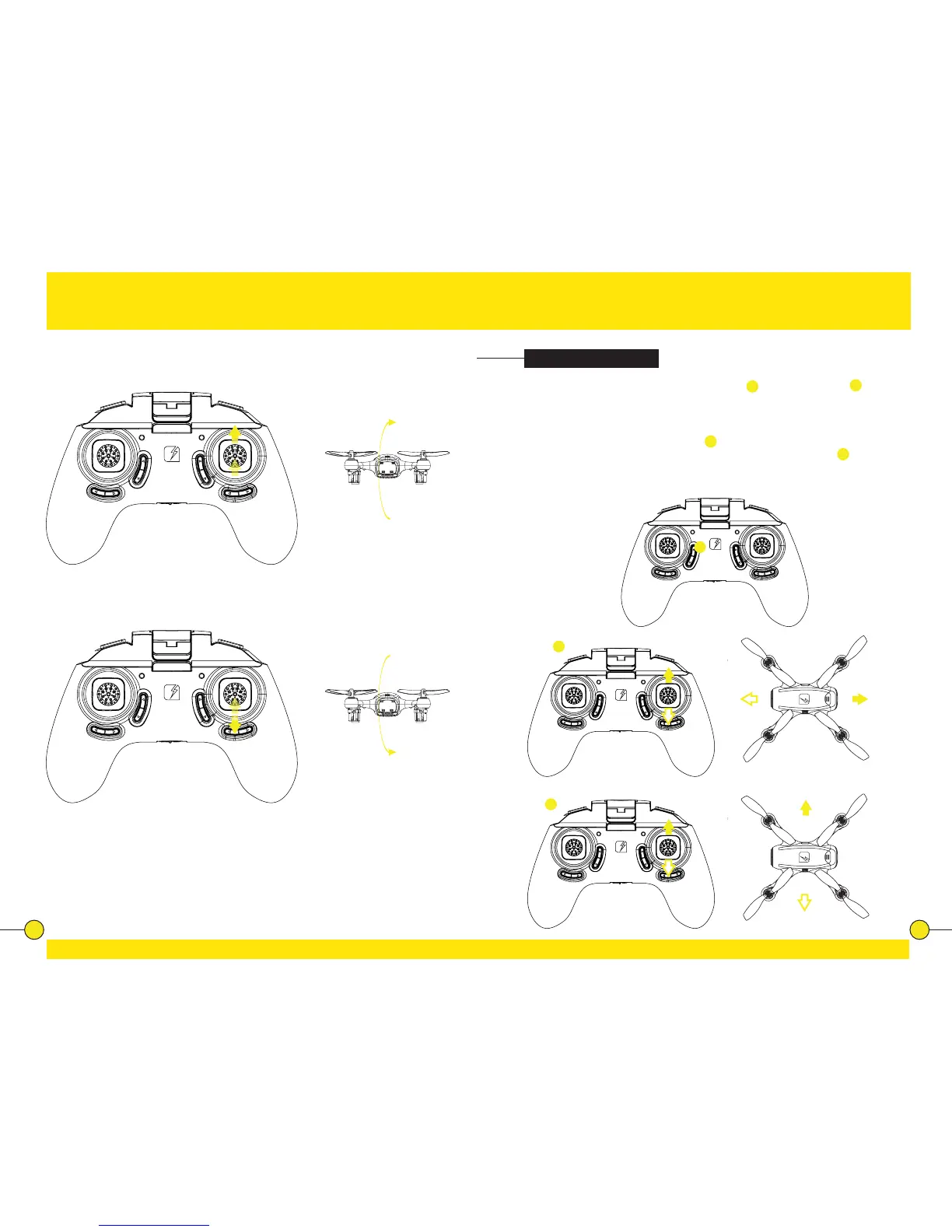
Forward 360° Flip
Press the Direcon sck and push it forward.
Backward 360° Flip
Press the Direcon sck and push it backward.
Switching Modes
The drone can be switched from Normal Mode
A
to Headless Mode.
B
Headless
Mode does not require the pilot to dierenate the front (head) posion of the
drone, but simply use the Direcon Sck for the drone to respond correctly to
the given input relave to the posion of the controller.
To enter Headless Mode, press buon
1
. The controller will emit a beeping
sound to conrm the drone is now in headless mode. Press buon
1
again to
exit Headless Mode. The controller emits a beep tone again to conrm return to
Normal Mode.
A
1
B


 To Next Page