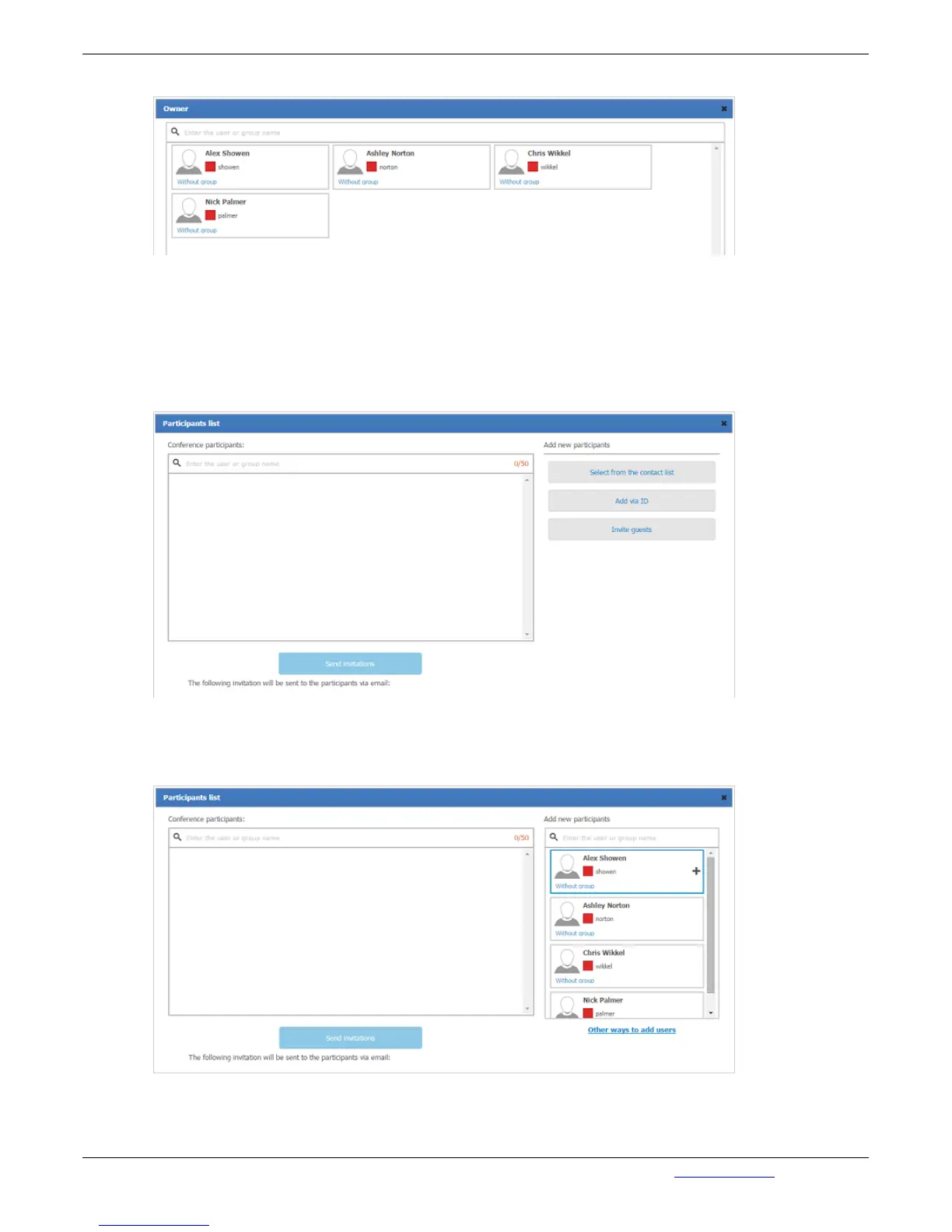
a Conference Owner of the conference to be created:
Participants Section
The Participants section displays a number of participants you can invite to a conference. There is a
limited number for each Conference Type. Clicking the number e.g. 0/25 you enter the menu where
conference participants are chosen and invitations to them are sent. In field Invited Participants, enter
the username or the name of the Group for a conference invitation to be sent. Then choose
Participants, clicking "Select from the contact list":
A list of Contacts displays on click. Pointing a Contact name with a mouse "+" icon will appear. Click
the "+" icon to add users to a conference Participants. The added user will appear in the invite es list on
the left side:
You can assign a selected user as a conference moderator. To do this, put the mouse cursor over the
selected user and click on the star icon:


 To Next Page