6
Operation
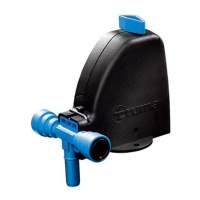
To operate the devices connected via the iNet Box, follow the
steps in the Truma app.
– The last incoming command is executed.
– Bluetooth communication has priority over GSM
communication.
– The iNet Box automatically switches from GSM to Bluetooth
communication as soon as a saved mobile terminal device
comes into reception range.
– It automatically switches back to GSM communication
when the device goes out of reception range.
Technical data
Dimensions (L x W x H) 147 x 96 x 40 mm
Operating conditions
Temperature -30°C to +60°C
Humidity 10%rH to 99%rH
Air pressure 942 hPa to 1061 hPa
Storage temperature range -30°C to +70°C
Interface TIN bus
Power supply 9V – 29V
Power consumption xxx mA
Standby current xxx mA
Weight approx. 500g
External GSM antenna
Anntenna gain max. 5.5 dBi at 850 MHz and max. 2 dBi at
1900 MHz
Subject to technical changes.
Troubleshooting guide
The green “Power” LED (ready for operation) does not light up.
Check the operating voltage.
LED red – GSM error
– No GSM reception
– No Mini-SIM card
– Mini-SIM card blocked
– Modem error
Progress bar stops during firmware update
/ Bluetooth connection interrupted for an extended time / pre-
vious firmware status remains.
Factory setting
Reset all settings to the factory setting and delete all individual
data.
– Press the button (Figure 2 – 1) for at least 20 seconds.
The blue LED flashes briefly to indicate that resetting has
been done.
Cleaning
Clean only with a moist, lint-free cloth. Make sure that no liq-
uid gets inside the iNet Box. This can cause a short circuit and
destruction of the iNet Box.



 To Next Page