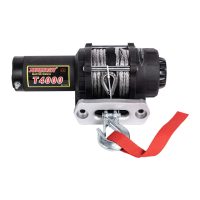
TUNGSTEN T series ATV winch
8
Figure 7:
Remote socket installation.
TO PREVENT SERIOUS
INJURY OR DEATH FROM
EXPLOSION:
• Do NOT drill into gas tank.
• Verify the area is clear behind the mounting location
before drilling.
• After determining the mounting location for the
remote socket, drill three holes and install. (Figure 7)
• Once the remote socket is mounted, route the two
bullet terminal wires back to where the contactor will
be mounted. Splice the end of the red wire to a key
controlled accessory circuit of the ATV (use the
provided wire splice). Using a test light, locate a
suitable wire from the ATV key switch. The wire should
only have power when the key is in the "ON" position.
NOTE: If installing both switches, both red wires
MUST be spliced to a key controlled accessory
circuit of the ATV as described above.
Step (4) – Electrical Connection (Figure 8)
Place the supplied terminal boots on wires before securing to the contactor. All wires must
be attached to the contactor before mounting the contactor to the ATV.
• Connect red cable one terminal (“M+”) of contactor to terminal positive (+) of the motor.
• Connect black cable one terminal (“M-“) of contactor to terminal negative (-) of the motor.
• Connect red cable one terminal (“B+”) of contactor to terminal positive (+) of the battery.
• Connect black cable one terminal (“B-“) of contactor to terminal negative (-) of the battery.
Figure 8: Wiring
Installation diagram
• If installing both the
handle bar switch and
the remote socket, first
attach the terminals on
the green and black
remote socket wires into
the contactor (green to
green, black to black), or
connect the red cable of
remote socket to the
terminal (marked “B+” )
of the contactor .



 To Next Page