15
Using your XP SEVEN on a PC
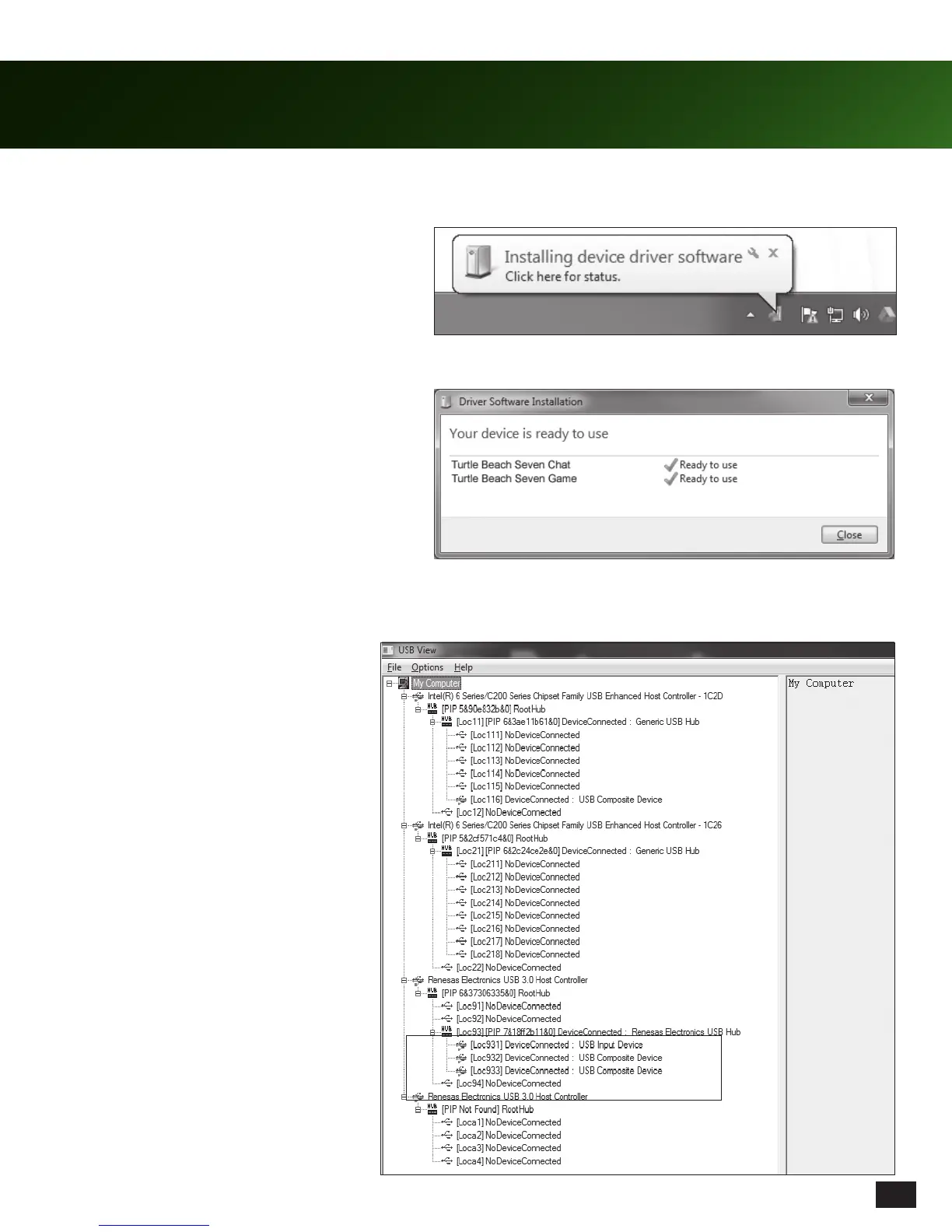
2. Plug the SEVEN Audio Control Unit to a free
USB hub using the USB Cable. Allow up to
five (5) minutes for Windows to automatically
install the drivers.
3. After Windows confirms successful install,
power cycle the unit (power unit off, then on).
This is what the SEVEN ACU will
appear as when plugged in. It should
be the only device on the USB hub.
4. Refresh USBView and verify that the ACU is showing up on a USB hub by itself. It will display as 3 devices
connected to a USB hub. Please refer to the screen below showing a properly connected ACU.
Please note: Depending on your OS Version, the screens may differ but the steps will remain the same.














 To Next Page