14
Using your XP SEVEN on a PC
Please note: Depending on your OS Version, the screens may differ but the steps will remain the same.
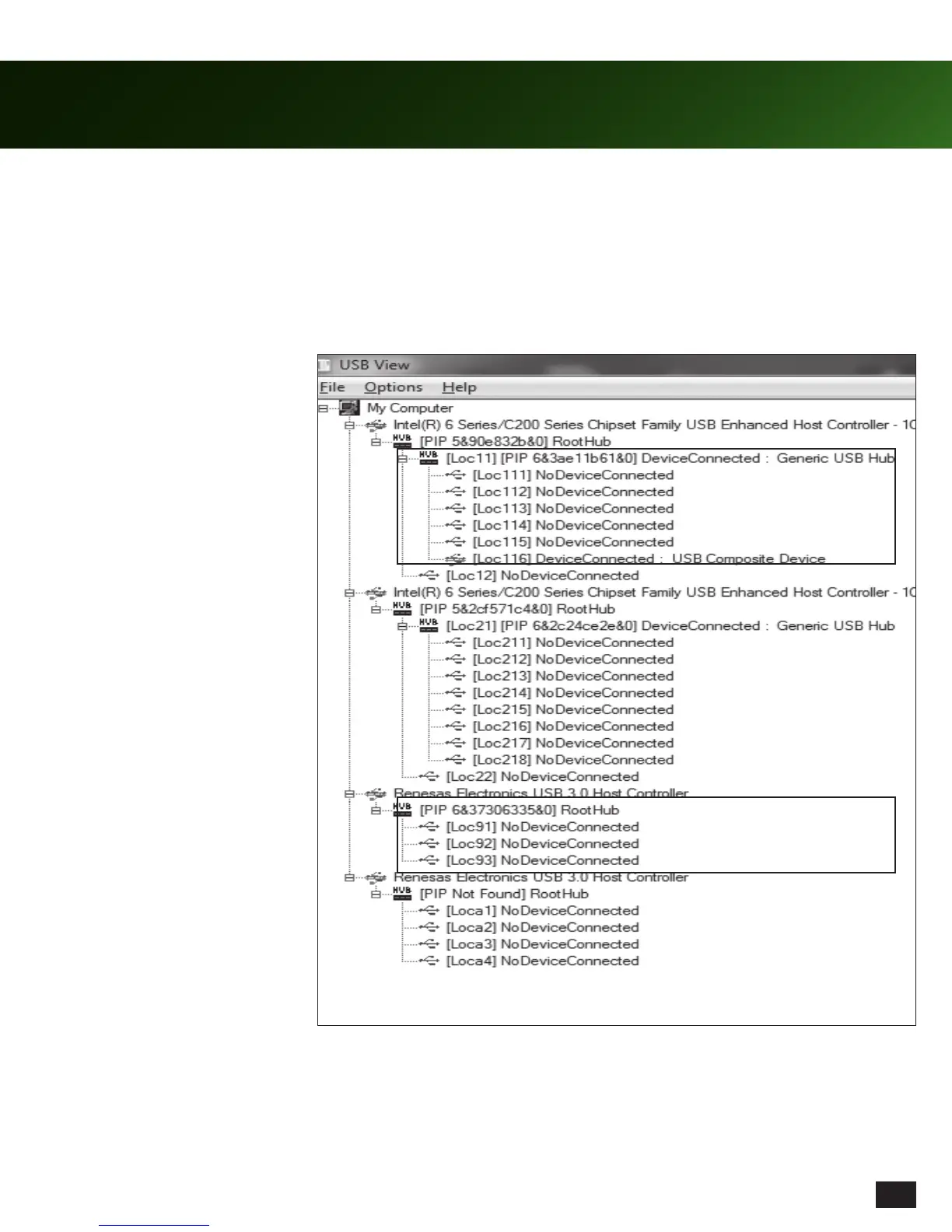
1. To make sure you have a free USB hub on your PC to connect the SEVEN Audio Control Unit to, download USBView from
www.turtlebeach.com/products/SEVEN. This program will help you manage your USB-connected devices. The
ACU needs to be on a USB hub that has no other devices on it. If you do not have a free hub, please move existing devices
onto another hub to make room. Please see screen below for examples of USB hubs with and without devices connected.
This USB hub has a device connected
to it already, we do not recommend
that you use this for your ACU.
This USB hub has no devices
connected. Try to plug your ACU into
a hub that is free of other devices.














 To Next Page