19
Using your XP SEVEN on a Mac
Chat program screens may differ depending on the operating system.
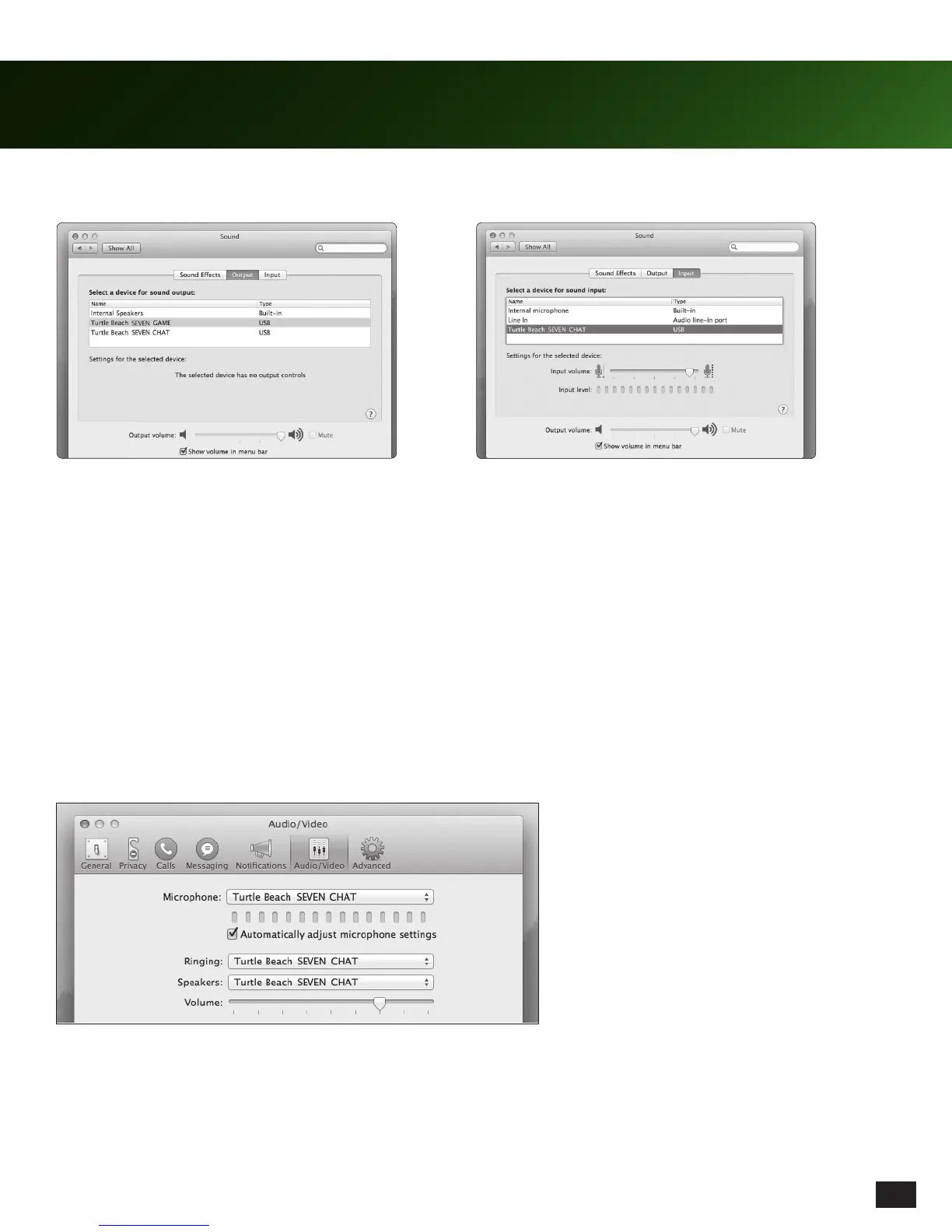
Using Skype (download from www.skype.com), open your preferences.
Go to Audio / Video and select, “TURTLE BEACH SEVEN CHAT” for microphone, ringing and speakers.
1. Connect the Control Unit to your Mac and go to System Preferences / Sounds.
2. Select “TURTLE BEACH SEVEN GAME” on the
Output tab.
3. Select “TURTLE BEACH SEVEN CHAT” on the
Input tab.
NOTE: Not all chat programs default to the
Turtle Beach chat path. Some programs may
require manual setup to output chat via the
TURTLE BEACH SEVEN CHAT interface. If
you experience a program sending out chat
on the game path, this may be the reason.
Chat Set Up














 To Next Page