18
Using your XP SEVEN on a PC
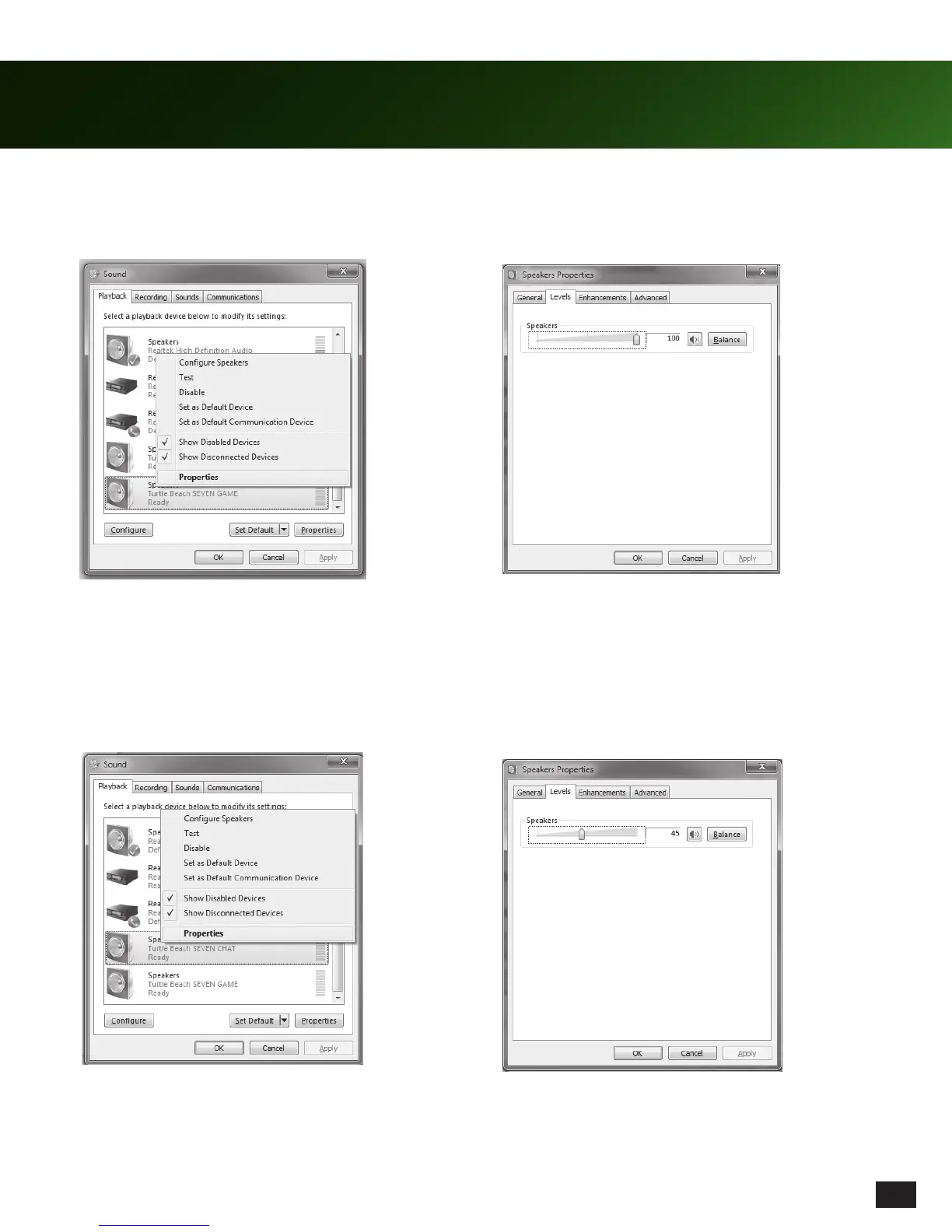
11. Right click on “TURTLE BEACH SEVEN GAME”
and select “Properties”.
13. Right click on “TURTLE BEACH SEVEN CHAT”
and select “Properties”.
14. Click on the “Levels” tab and set the volume to 45.
Press “OK” to confirm the change.
12. Click on the “Levels” tab and set the volume to 100.
Press “OK” to confirm the change.














 To Next Page